Free tool
docker run to Docker Compose converter
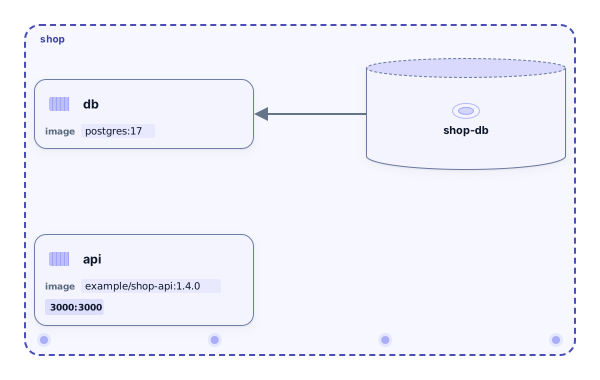
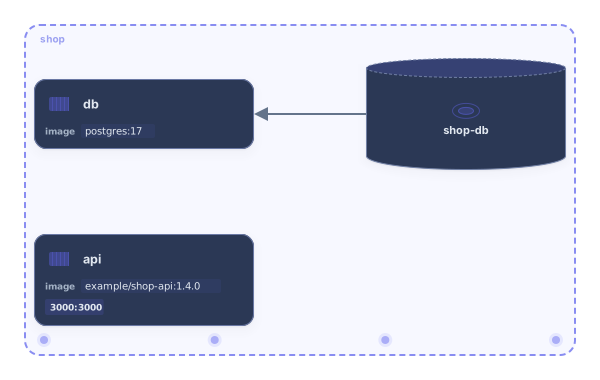
Paste one docker run command or a whole setup script and select Convert. You get a compose.yaml with the image, ports, environment, volumes, networks, restart policy and health check of every container, plus a diagram of the services you can download or open in Archboard. No account needed.
Example output
How it works
Paste your docker run commands
Paste commands from a README, a shell history or a deploy script. Line continuations, sudo and podman run work as they are.
Select Convert
The compose.yaml appears next to the input with a list of anything that wasn’t converted, and the services are drawn as a diagram.
Copy, download or open it
Copy the file, download it as compose.yaml, or open the diagram in Archboard to document the setup. Signing up takes a Google or GitHub account.
What ends up in the compose.yaml
- One service per docker run command. The service is named after --name, or after the image when there is no name, and two commands with the same name get a numbered suffix.
- Published ports from -p, environment variables from -e, labels, the working directory, the user and the command after the image, in the order you wrote them.
- Named volumes and bind mounts from -v and --mount, and the networks from --network. A docker network create line declares the network in the file; a network that is only used is marked as external.
- Restart policy, health check, memory and CPU limits, hostname and similar run options that have a Compose field.
Values from -e flags
Keep values copies every -e value into the environment block, because that is what docker run did. Names only writes the variable names and leaves the values empty, which is handy before you paste the file into a ticket or a pull request. Values that look like a password, a token or a key are counted in the warnings either way, so you know which lines to move to an env file or a secret store.
What the docker run converter leaves out
- Flags with no Compose field, such as --ulimit or --sysctl. They are listed in the warnings and marked above the service with a not converted comment that names the flag but never its value.
- Shell features: pipes, redirects and anything after them are cut off, and a $(…) substitution is kept as text rather than run.
- Commands other than docker run and podman run, such as docker build, docker exec or docker compose up, are skipped and counted.
- Secret handling: values stay plain environment variables. Move passwords and tokens to an env file or a secret store yourself.
When an unknown flag sits in front of the image
docker run reads the first word that isn’t a flag as the image. For a flag the converter doesn’t know, it can’t tell whether that flag takes a value, so it reads the next word as the image and says so in the warnings: check that the word shown there really is the image. If more words follow, the command is skipped instead of guessing. Writing the flag as --flag=value, or putting -- before the image, removes the doubt.
docker run to Compose questions
Can I convert several docker run commands at once?
Yes. Paste them one after another, with or without backslash line continuations. Each command becomes a service in the same compose.yaml, and containers that share a --network end up on the same Compose network, so the diagram shows which services can reach each other.
Does it read podman run and docker container run?
Yes. podman run, docker container run and commands that start with sudo or with variable assignments are read the same way. Podman-only options that have no Compose field are listed in the warnings.
Why is there no version line at the top?
Current Docker Compose ignores the top-level version key and warns about it, so the file starts directly with services. It works with docker compose up as it is, after you have checked the values.
What happens when I open the diagram in Archboard?
The preview isn’t saved. When you select Open in Archboard, the diagram of the converted services is saved as a new diagram in your workspace, where you can rearrange, annotate and share it. The compose.yaml itself isn’t stored: copy or download it before you leave.
Is the docker run converter free?
Yes. Converting commands, copying the file and downloading the diagram as SVG or PNG need no account. Opening the diagram in Archboard needs a free account.
Open a canvas in a minute
Sign in with Google or GitHub. Free for a single seat. Upgrade when the team joins.