Free tool
Prisma schema to ER diagram
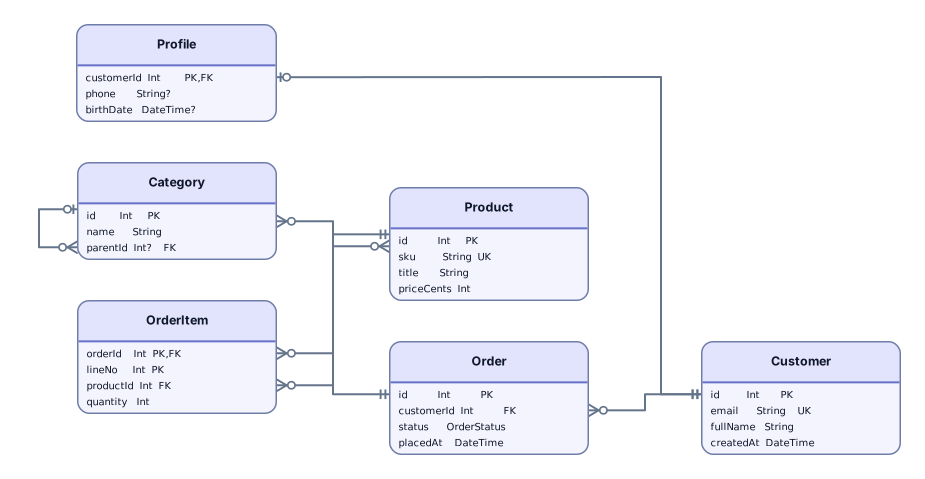
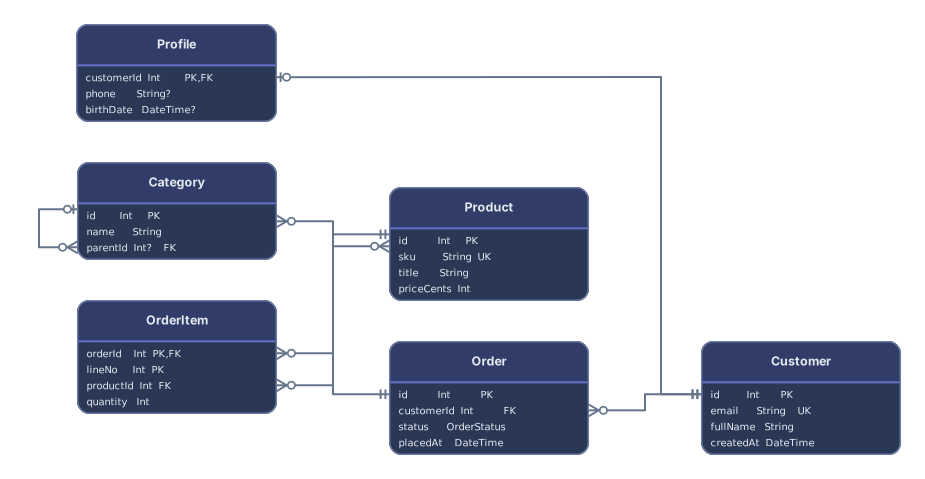
Paste a schema.prisma file, or drop every file of a multi-file schema, and get an ER diagram: a card per model with its scalar fields and keys, and a line for every relation, implicit many-to-many ones included. No account needed to try it.
Example output
How it works
Paste or drop your Prisma schema
A schema.prisma file, or all the .prisma files of a prisma/schema folder dropped together. The datasource and generator blocks can stay; only the provider is read.
See models and relations
Each model becomes a card with its scalar fields and their Prisma types. Each relation with fields and references becomes a line from the foreign key field to the field it points to.
Open it in Archboard
Save it as a new diagram to rearrange, annotate, share a link, or export SVG and PNG. Signing up takes a Google or GitHub account.
What’s drawn from a Prisma schema
The diagram is built from these parts of schema.prisma:
modelEach model as a card named after the model, with one row per scalar field and its type written the Prisma way, such as String? or Int[]. Enum fields and composite type fields are listed too.
@relationfieldsreferencesRelations with fields and references, drawn from the foreign key field to the referenced field with crow’s foot ends. A unique foreign key makes the relation one-to-one, and an optional relation field makes the other end optional. Composite foreign keys work too.
Category[]Product[]Implicit many-to-many relations, where two models list each other, as with Category[] and Product[]. They’re drawn as one line with many at both ends, without the hidden join table Prisma creates.
@id@@idPrimary keys from the id attribute on a field, or from a block-level id that spans several fields, marked PK on each field.
@unique@@uniqueUnique fields, marked UK. A block-level unique constraint over several fields isn’t marked on each field, but a relation whose foreign key uses exactly those fields is drawn one-to-one.
@@schemaModels assigned to database schemas in a multi-schema project, drawn inside one frame per schema.
typeComposite types declared with type in a MongoDB schema, shown as the type of the field that embeds them rather than as separate cards.
What a Prisma diagram leaves out
- Relation fields such as posts Post[] or author User. They exist only at the Prisma level, not in the database, so they become lines rather than rows, and each card lists only fields stored in the database.
- Relations to models in files you didn’t include. When a schema is split across files, drop them all together; a model that can’t be found is reported in a warning instead of being drawn.
- Views declared with view blocks, which are skipped and counted, and models or fields marked with the ignore attribute.
- Default values such as autoincrement(), now(), or dbgenerated expressions, native database types such as VarChar(255), documentation comments, and the datasource URL.
Prisma schema questions
My schema is split into several files. How do I diagram it?
Drop the whole prisma/schema folder, or select all its .prisma files at once. They’re read as one schema, so relations between models in different files are drawn. A single file works too; relations to models in other files are then listed as warnings.
Does it work with MongoDB schemas?
Yes. With the mongodb provider, composite types appear as field types, ObjectId foreign keys become relation lines, and a many-to-many relation stored as id lists on both models is drawn as a single line without FK markers.
Does the diagram use model names or table names?
Model names, the ones you use in Prisma Client. Table and column names set with the map attributes aren’t shown, so a model Customer mapped to a customers table appears as Customer.
How are implicit many-to-many relations shown?
As one line between the two models, with many at both ends. Prisma keeps these relations in a hidden join table such as _CategoryToProduct, which isn’t drawn. A relation table you model yourself appears as a normal card with two relations.
What’s saved when I open the diagram in Archboard?
The preview isn’t saved. When you select Open in Archboard, the drawn diagram, with its model cards, field names and types, and relation lines, is saved as a new diagram in your workspace. Later changes to schema.prisma don’t update it.
Is the Prisma ER diagram tool free?
Yes. Pasting a schema and viewing the diagram need no account. Opening the diagram in Archboard needs a free account.
Open a canvas in a minute
Sign in with Google or GitHub. Free for a single seat. Upgrade when the team joins.