Free tool
PostgreSQL to ER diagram
Paste the output of pg_dump as it is, SET lines, ALTER TABLE ONLY constraints, and COPY blocks included, and get an ER diagram of every table and foreign key. Try the multi-tenant SaaS sample, which uses identity columns, an enum type, and a partitioned table.
Example output
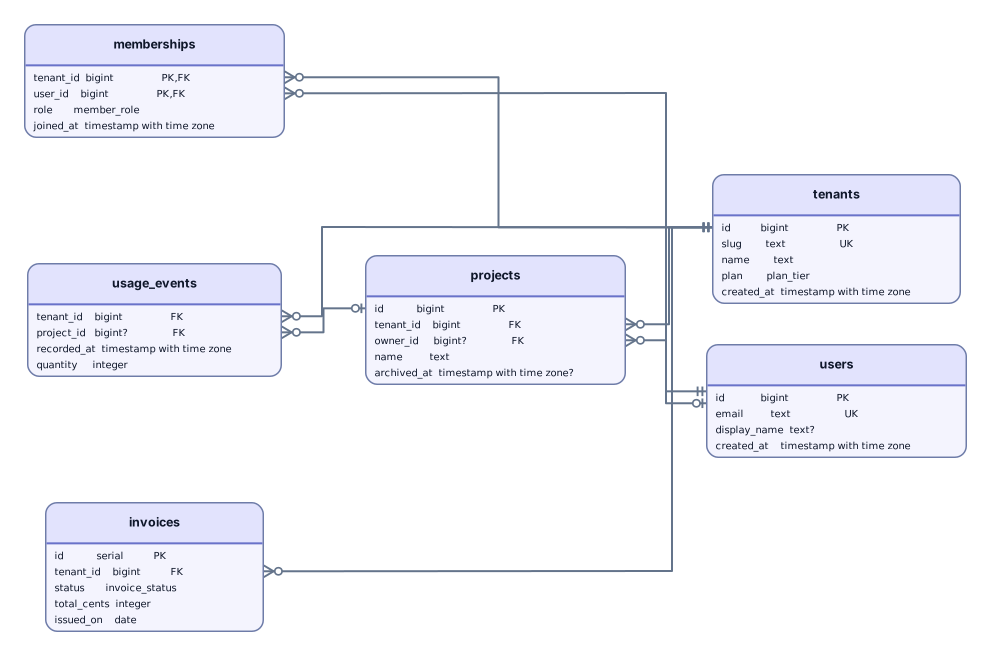
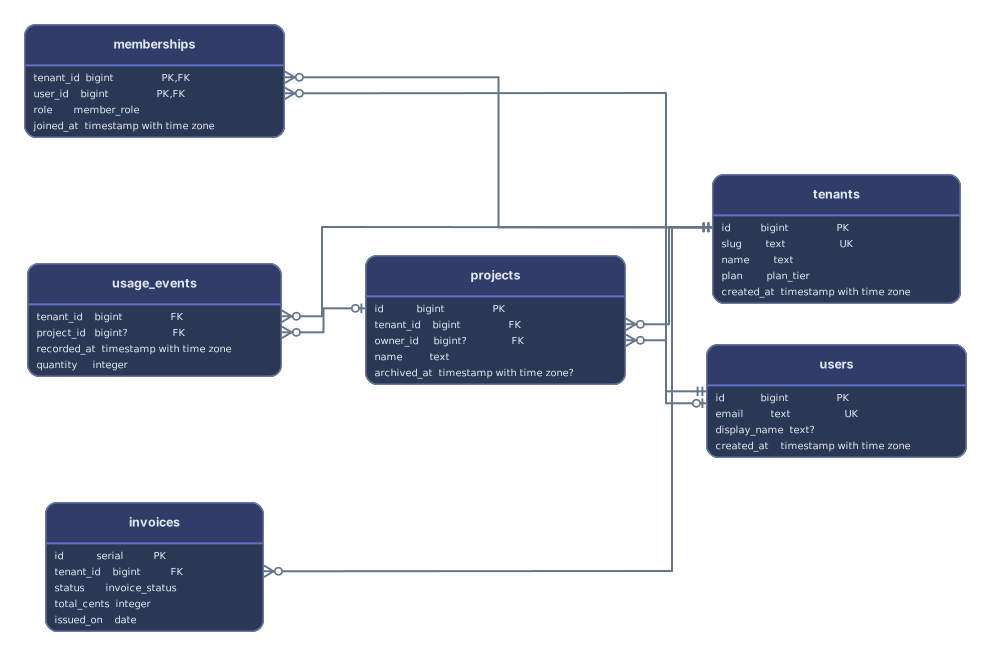
How it works
Paste or drop your pg_dump output
A plain-text dump, a migration file, or CREATE TABLE statements from psql, pgAdmin, or an ORM. There’s no need to clean up the dump first.
See every table with its keys
The keys pg_dump writes at the end of the file are matched to their tables, each foreign key line starts at its own column, and a dump with several schemas gets one frame per schema.
Open it in Archboard
Save it as a new diagram to rearrange, annotate, share a link, or export SVG and PNG. Signing up takes a Google or GitHub account.
Get the database schema out of PostgreSQL
Run this against the database, then paste schema.sql or drop the file:
--schema-only leaves out the rows, and --no-owner and --no-privileges drop the OWNER TO, GRANT, and REVOKE lines. Add --schema=sales to dump one schema. Replace mydb with the database name, and add -h and -U or pass a connection URI as needed.
pg_dump --schema-only --no-owner --no-privileges mydb > schema.sql
PostgreSQL syntax in a dump
How each construct in a pg_dump file is handled:
serial · GENERATED … AS IDENTITY- Read as ordinary columns that keep the type as written; the identity or sequence default isn’t shown. A serial column is marked PK only when a PRIMARY KEY says so, because serial alone doesn’t create a key.
CREATE TYPE … AS ENUM- The enum type’s name becomes the column type, for example order_status; its labels aren’t listed on the card.
CREATE SCHEMA- When the dump has more than one schema, each one that holds tables becomes a frame around them, and foreign keys between schemas cross the frames.
ALTER TABLE ONLY … ADD CONSTRAINT- Read. pg_dump writes primary keys, unique constraints, and foreign keys at the very end, and they’re applied once all tables are known.
PARTITION OF- Folded into the parent table, so a table split by month is one card; the preview says how many partitions were folded. ATTACH PARTITION is handled the same way.
$$ … $$- Function and procedure bodies in dollar quotes are skipped whole, so semicolons inside them can’t cut a statement short. Inside a DO block, CREATE TABLE and ALTER TABLE … ADD CONSTRAINT are still read.
COPY … FROM stdin- The data lines that follow are skipped, unread, up to the closing \. line.
\restrict- Skipped. Recent pg_dump releases put \restrict and \unrestrict lines around the dump; these and other psql meta-commands such as \connect are ignored.
What a pg_dump diagram leaves out
- Table data. Rows in COPY blocks and INSERT statements aren’t read, so a dump with data draws the same diagram as one made with --schema-only.
- Functions, procedures, triggers, and DO block code. Their bodies are skipped and counted; only the tables and constraints inside a DO block are picked up.
- Row-level security policies, GRANT and REVOKE, and object owners. Who may read or change a table doesn’t appear on the diagram.
- Anything from a running PostgreSQL server. No connection is made, so table sizes, row counts, and installed extensions aren’t shown.
PostgreSQL questions
Which pg_dump options should I use?
pg_dump --schema-only --no-owner --no-privileges gives the shortest output, but any plain-text dump works, data included. A custom-format archive made with -Fc isn’t SQL text: convert it with pg_restore --schema-only -f schema.sql followed by the archive’s file name.
How are several schemas shown?
Each schema that holds tables becomes a frame with its tables inside, so public, billing, and audit stay apart, and foreign keys between them cross the frames. To draw a single schema, dump it alone with --schema=name, or -n for short.
What happens to partitioned tables?
Partitions created with PARTITION OF, or attached later with ATTACH PARTITION, are folded into their parent, so a payments table split into twelve monthly partitions shows up as one card. The preview notes how many partitions were folded.
Are enum and custom types shown?
An enum made with CREATE TYPE … AS ENUM is used as the column type, so a status column shows order_status, but the enum’s labels aren’t listed. Domains and composite types aren’t drawn as cards; columns that use them still show the type name as written.
Is anything saved when I paste a dump?
The preview isn’t saved. When you select Open in Archboard, the drawn diagram, with its table cards, column names and types, schema frames, and lines, is saved as a new diagram in your workspace. Later changes to the database don’t update it.
Is the PostgreSQL ER diagram tool free?
Yes. Pasting a dump and viewing the diagram need no account. Opening the diagram in Archboard needs a free account.
Open a canvas in a minute
Sign in with Google or GitHub. Free for a single seat. Upgrade when the team joins.