Free tool
CIDR calculator for IPv4 and IPv6
Type a block in CIDR notation, such as 10.0.0.0/16 or 2001:db8::/48, and see where it starts and ends, how many addresses it holds and which mask it matches. IPv4 and IPv6 both work, a dotted mask is converted for you, and the result gets a link you can send to a teammate.
IPv4 or IPv6, for example 10.0.0.0/16 or 2001:db8::/48. A dotted mask such as 10.0.0.0 255.255.0.0 works too.
Block details IPv4
- CIDR
- 10.0.0.0/16
- Network address
- 10.0.0.0
- Broadcast address
- 10.0.255.255
- Subnet mask
- 255.255.0.0
- Wildcard mask
- 0.0.255.255
- Usable host range
- 10.0.0.1 – 10.0.255.254
- Total addresses
- 65,536
- Usable hosts
- 65,534
Split into equal subnets
4 subnets of size /18
| Subnet | Host range | Broadcast | Usable hosts |
|---|---|---|---|
| 10.0.0.0/18 | 10.0.0.1 – 10.0.63.254 | 10.0.63.255 | 16,382 |
| 10.0.64.0/18 | 10.0.64.1 – 10.0.127.254 | 10.0.127.255 | 16,382 |
| 10.0.128.0/18 | 10.0.128.1 – 10.0.191.254 | 10.0.191.255 | 16,382 |
| 10.0.192.0/18 | 10.0.192.1 – 10.0.255.254 | 10.0.255.255 | 16,382 |
How it works
Type or paste a CIDR block
Use a prefix such as /20 or a dotted mask such as 255.255.240.0. IPv6 blocks are written the same way, for example 2001:db8:abcd::/48.
Check the range
See the first and last address, the size of the block and its mask, each with a copy button.
Share it or keep going
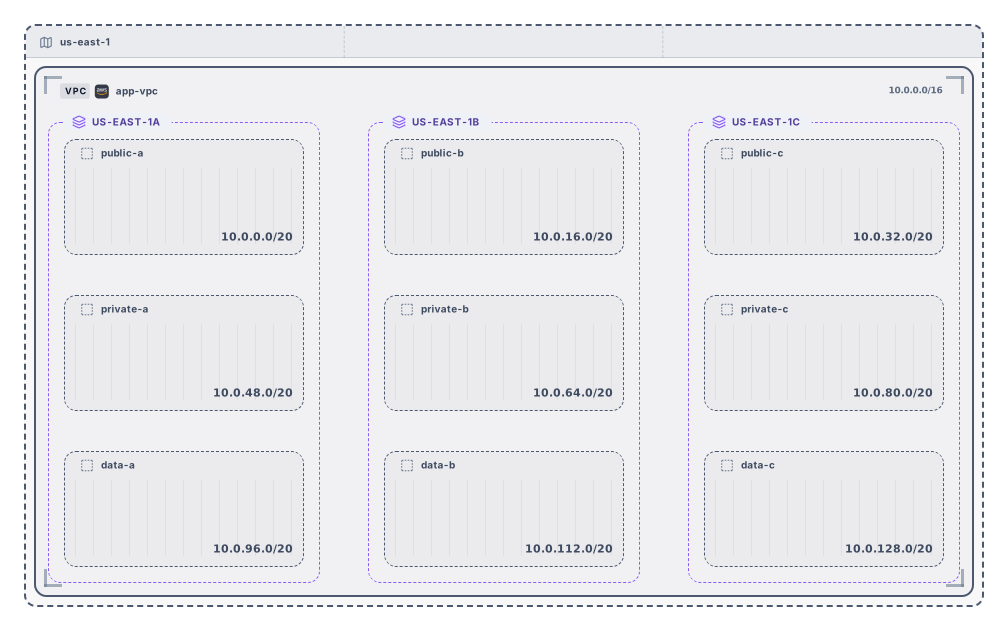
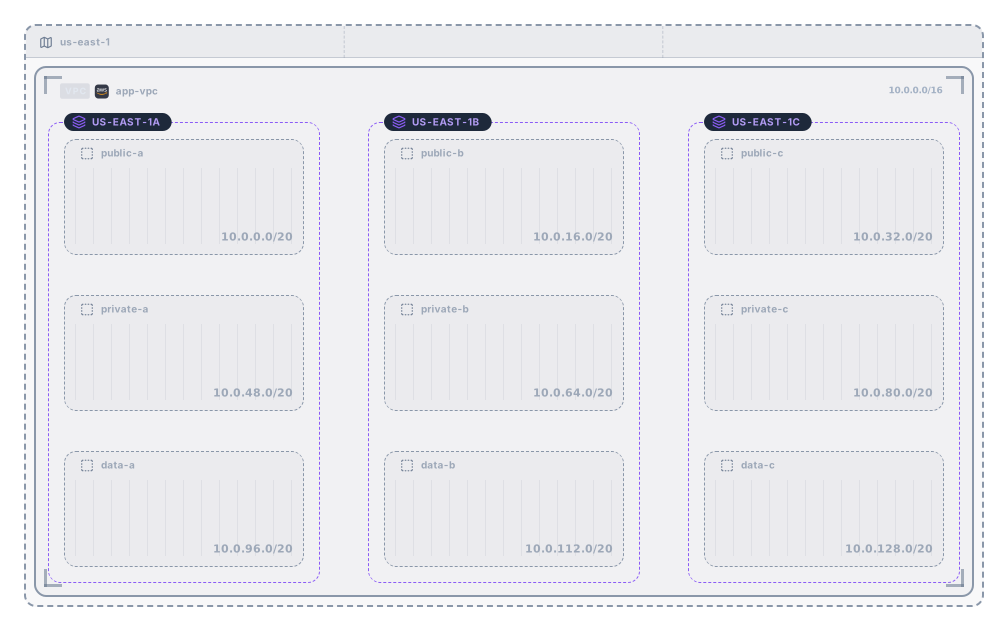
The address bar now holds the block, so the link opens the same result. You can also plan the block as a VPC, then download the diagram as SVG or PNG or open it in Archboard. Signing up takes a Google or GitHub account.
What the CIDR calculator tells you
- The canonical form of the block: the address moved to the start of its block, IPv6 written in its shortest form, and the prefix length after the slash.
- Where the range starts and ends. For IPv4 that is the network and the broadcast address, ready to paste into a firewall rule or an allow list.
- How many addresses the block holds. For large IPv6 prefixes the count is also written as a power of two, because the full number runs to dozens of digits.
- IPv6 prefixes from /0 to /128, with the network, the first and last address and the address count, all in the shortened notation.
- A dotted subnet mask turned into a prefix length, so 10.0.0.0 255.255.0.0 becomes 10.0.0.0/16. A mask with gaps in its bits is reported as invalid.
- A note when the address you typed isn’t the start of its block. 10.0.7.9/16 is read as 10.0.0.0/16, and the note names the block it falls in.
How the number after the slash sets the size
Each step in the prefix halves or doubles the block. A /24 holds 256 IPv4 addresses, a /23 holds 512 and a /16 holds 65,536, while a /28 holds 16. In IPv6, a /64 is the usual size for a single network, and a /48 holds 65,536 of those /64 networks, which is why a site is often given one.
Links that open the same result
When the block is valid, the page address gains a cidr parameter with that block, without adding an entry to your history. Opening the link fills in the same block, so you can paste it into a ticket or a chat message. A link with a value that isn’t a valid block shows the error under the box, and the page keeps working.
What the CIDR calculator doesn’t do
- Compare several blocks or test whether one contains another. Each check looks at one block at a time.
- Merge a list of ranges into the fewest CIDR blocks, or turn a start and an end address into CIDR blocks.
- Split IPv6 prefixes or plan IPv6 subnets. IPv6 blocks are described; splitting and the VPC planner work on IPv4.
- Look up who owns a range, where it is routed or whether it is in use. The results come only from the block you type.
CIDR notation questions
What does CIDR notation mean?
CIDR, short for Classless Inter-Domain Routing, writes a block as an address followed by a slash and a prefix length. 10.0.0.0/16 means every address whose first 16 bits match 10.0, which runs from 10.0.0.0 to 10.0.255.255. It replaced the old class A, B and C sizes, so a block can be any power of two in size.
Why does 10.0.7.9/16 turn into 10.0.0.0/16?
A CIDR block always starts at an address whose bits after the prefix are all zero. 10.0.7.9 sits inside 10.0.0.0/16, so the calculator shows that block and adds a note. Configuration fields usually expect the start of the block, so copy the value shown here.
How big is an IPv6 /48 or /56?
A /48 holds 2 to the power of 80 addresses, room for 65,536 networks of size /64. A /56 holds 256 of those /64 networks. The calculator shows the exact count for any prefix and writes it as a power of two when the number gets long.
What happens when I open a block in Archboard?
Nothing on this page is saved. If you plan the block as a VPC and select Open in Archboard, the diagram of that plan, with its region, VPC, zones and subnets, is saved as a new diagram in your workspace to rearrange, annotate, share or export. It’s a starting point: later changes on this page don’t update it.
Is the CIDR calculator free?
Yes. Checking blocks, sharing links and planning need no account, and neither does downloading a diagram as SVG or PNG. Opening a plan in Archboard needs a free account.
Open a canvas in a minute
Sign in with Google or GitHub. Free for a single seat. Upgrade when the team joins.