Free tool
DBML to ER diagram
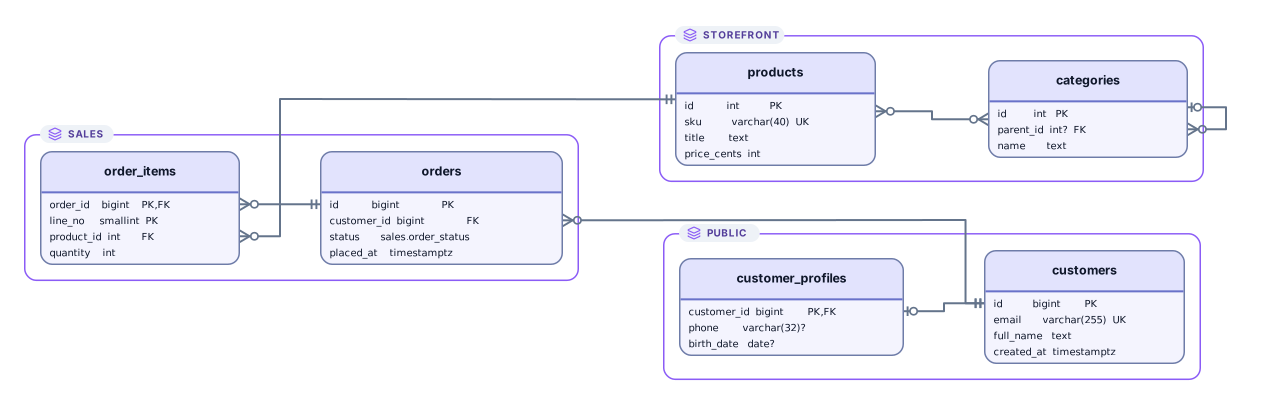
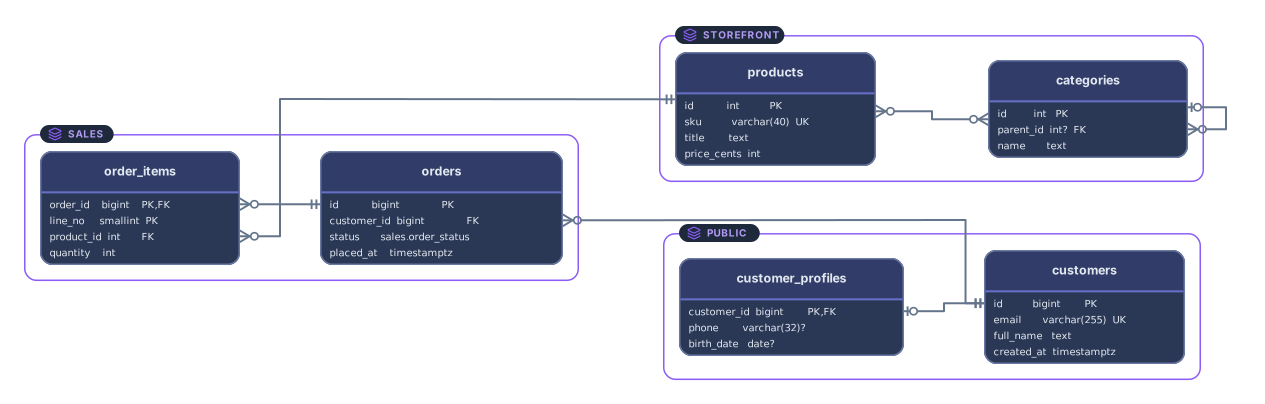
Paste DBML and get an ER diagram you can open and edit: tables with their columns and keys, every Ref drawn as a line between columns, and table groups as frames. Write it by hand, or bring DBML generated from SQL or another editor.
Example output
How it works
Paste or drop your DBML
A .dbml file or DBML copied from another editor, Project, Enum, and TableGroup blocks included. Notes and sample records can stay in the text.
See tables, refs, and groups
Each Table becomes a card with its columns, each Ref a line from the foreign key column to the column it points to, and each TableGroup a frame.
Open it in Archboard
Save it as a new diagram to rearrange, annotate, share a link, or export SVG and PNG. Signing up takes a Google or GitHub account.
What’s drawn from DBML
The diagram is built from these parts of the DBML:
TableEach Table as a card with one row per column: its name, its type, and PK and UK markers. A question mark follows the type of a nullable column; in DBML, that is any column without the not null setting that isn’t part of a primary key. Aliases written with as are resolved wherever a Ref uses them.
Ref<>-<>Refs in long, short, or inline form, with < for one-to-many, > for many-to-one, - for one-to-one, and <> for many-to-many, drawn with crow’s foot ends. Composite and cross-schema refs work, and inactive refs are dashed.
indexespkuniquePrimary keys from column settings or from an indexes block, including composite keys such as (order_id, line_no) [pk]. Unique columns are marked UK, whether set on the column or by a one-column unique index; unique indexes over several columns and plain indexes add no marker.
TableGroupTableGroup blocks as frames around their tables. A table in a group stays in the group’s frame even when its schema has a frame of its own.
schema.tableSchema-qualified names such as sales.orders, grouped into one frame per schema when the DBML uses more than one schema.
TablePartial~partialTablePartial blocks injected into tables with ~name, so shared columns such as id or timestamps appear on every table that uses them. A column written in the table itself wins over the partial.
What a DBML diagram leaves out
- Notes: table and column notes, the project note, and sticky Note blocks are skipped and counted.
- Imports with use and reuse. Other DBML files can’t be followed from pasted text, so these lines are skipped with a warning, and refs to tables from those files aren’t drawn.
- Colors: headercolor on tables and color on refs and groups. Cards and lines use Archboard’s default style.
- Records blocks with sample rows, along with DiagramView and Dep blocks. Data isn’t read.
DBML questions
Does DBML from other tools work?
Yes. DBML is an open language first made for dbdiagram.io, and files written there, exported from it, or generated with the sql2dbml command of the DBML CLI read the same way. Settings Archboard doesn’t use, such as colors, are skipped instead of causing an error.
How are TableGroups shown?
Each TableGroup that has tables becomes a frame with its tables inside, and it takes priority over schema frames. Tables outside any group sit in their schema’s frame when the DBML uses several schemas. Group colors and notes aren’t used.
Can I diagram a project that imports other DBML files?
Paste the files one after another into the same text box. The use and reuse lines are skipped with a warning, and every table and Ref in the pasted text is drawn. Imports aren’t followed on their own, because only the text you give the tool is read.
What’s saved when I open the diagram in Archboard?
The preview isn’t saved. When you select Open in Archboard, the drawn diagram, with its table cards, column names and types, group frames, and lines, is saved as a new diagram in your workspace. Later edits to the DBML don’t update it.
Is the DBML to ER diagram tool free?
Yes. Pasting DBML and viewing the diagram need no account. Opening the diagram in Archboard needs a free account.
Open a canvas in a minute
Sign in with Google or GitHub. Free for a single seat. Upgrade when the team joins.