Free tool
Class diagram generator from Mermaid code
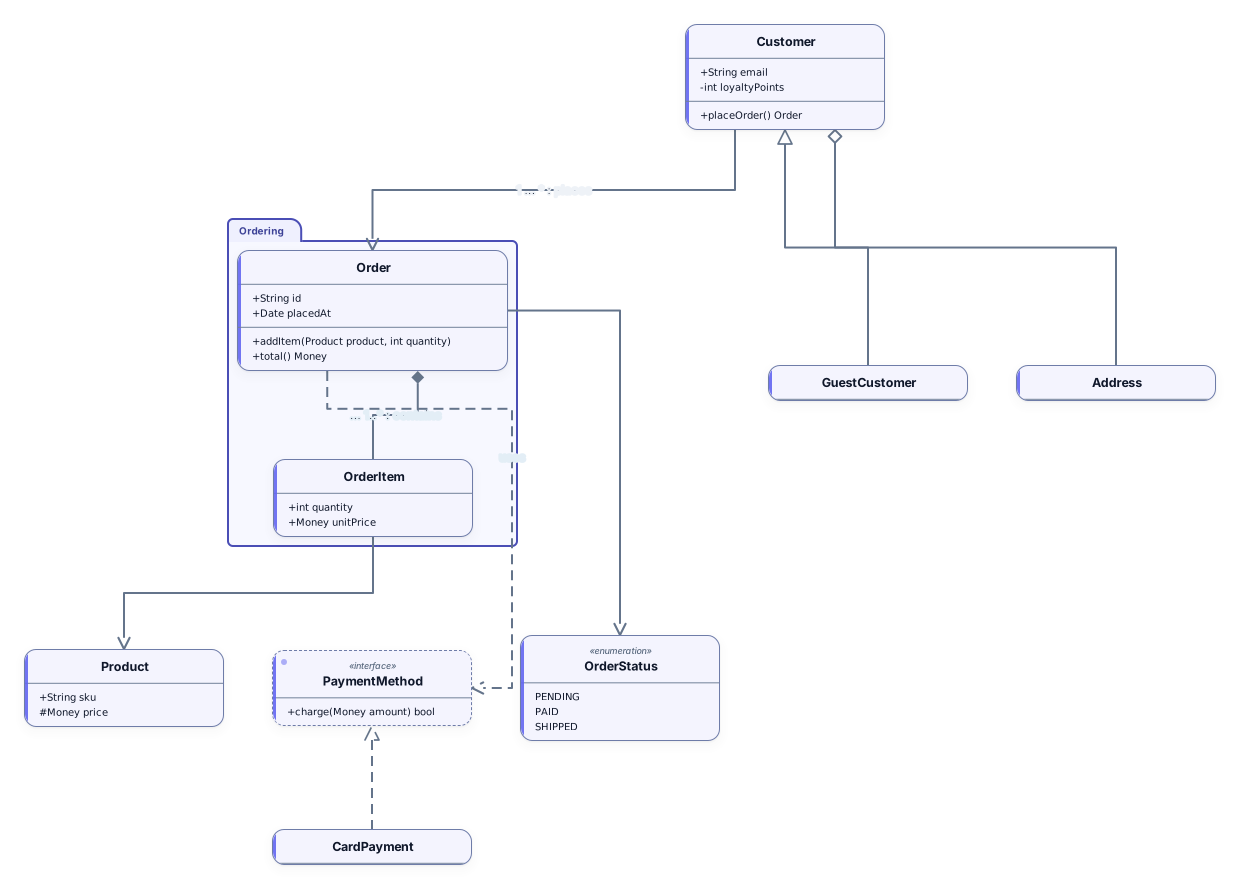
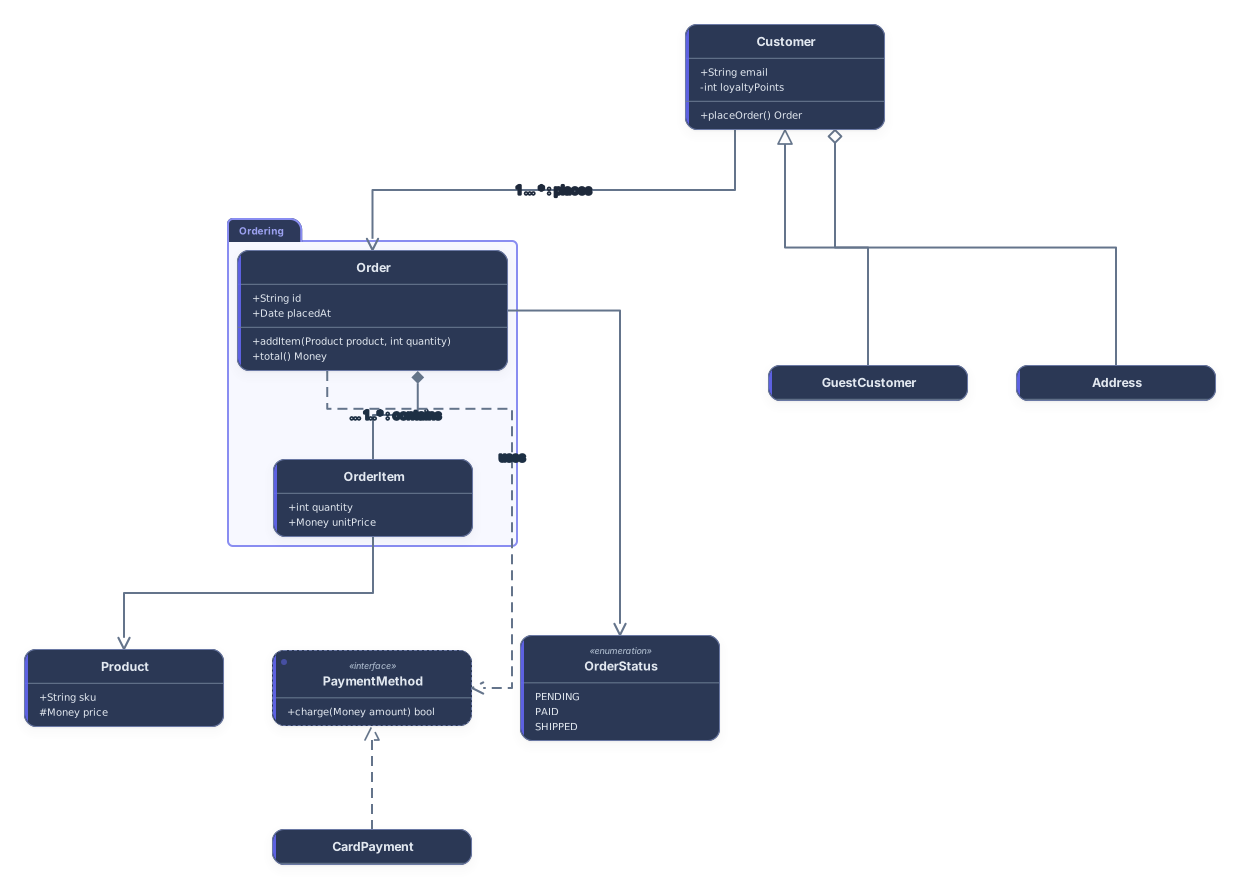
Generate a UML class diagram from Mermaid code. Paste a classDiagram, select Visualize, and each class becomes a card with its fields and methods, interfaces and enumerations are marked as such, and inheritance, composition and the other relationships get the matching arrowheads. Download SVG or PNG, or keep editing the diagram in Archboard.
Example output
How it works
Paste your classDiagram
Copy it from Markdown docs, a README, a design note or an AI chat answer. A mermaid code fence around it is fine.
See the classes and relationships
Select Visualize. Parent classes sit above the classes that extend them, and connected classes are drawn close together.
Open it in Archboard
Save it as a new diagram to rearrange classes, rename members and add notes. Signing up takes a Google or GitHub account.
Class diagram syntax the generator reads
Each row is a piece of Mermaid class syntax and what it turns into on the canvas:
class Order { +id · +total() }- A class with a body becomes a card: fields in the upper section, methods (lines with brackets) in the lower one. The short form Name : member adds a line to the same card.
+ public · - private · # protected · ~ package- The visibility markers plus, minus, hash and tilde stay at the start of each member line, together with types and return values as you wrote them.
<<interface>> · <<abstract>> · <<enumeration>>- A class annotated as an interface gets an interface card. Abstract classes and enumerations keep a class card with the word above the name, and enumeration values are listed as lines.
<|-- · <|.. · *-- · o-- · --> · ..>- Inheritance and realization get a hollow triangle at the parent, composition a filled diamond and aggregation a hollow diamond at the whole, association and dependency an open arrowhead.
A "1" --> "*" B : label- Multiplicities in quotes and the relationship label are joined into one label on the line, for example 1 … * : places.
namespace Ordering { … }- A namespace becomes a frame drawn around the classes declared inside it.
How multiplicities are shown
A connection in Archboard carries one label, not one at each end. So the generator writes both multiplicities and the relationship label into that single label: first the value of the class the relationship starts from (the subclass, the whole or the class holding the reference; on a plain line the left class), then an ellipsis, the value of the other class and the label after a colon. The marker at each end still shows which side is the parent, the whole or the target. After you open the diagram you can edit the label or move parts of it into notes.
What the class diagram leaves out
- Separate multiplicity labels at each end of a line: both values share the one label in the middle of the connection.
- click, link and callback actions and style, classDef and cssClass colors: they are skipped and counted in a warning.
- Lollipop interfaces and arrows with a head at both ends: they are drawn as the closest plain line or single arrowhead, with a warning.
- A live connection to the source: the saved diagram doesn’t follow later edits to the classDiagram text, and Archboard edits don’t flow back into it.
Class diagram questions
Can class names and members use generic types?
Yes. Mermaid writes generic types between tildes, such as List~int~, and the card shows them with angle brackets the way Mermaid draws them, in class names, fields and method signatures alike.
How are interfaces and enumerations drawn?
A class annotated as an interface becomes an interface card. Abstract classes and enumerations stay class cards with the word abstract or enumeration above the name, and the values of an enumeration are listed one per line.
Can this page read flowcharts or sequence diagrams too?
No, it reads classDiagram and classDiagram-v2 only. Use the sequence diagram generator for sequenceDiagram code and the Mermaid to editable diagram tool for flowcharts and erDiagram. Pasting another type here shows which types this page reads.
What happens when I open the diagram in Archboard?
The preview on this page isn’t saved. When you select Open in Archboard, the diagram you see, with its shapes, labels and connections, is saved as a new diagram in your workspace, where you can rearrange, annotate, share or export it. It’s a starting point: later changes to your Mermaid code don’t update it.
Is the class diagram generator free?
Yes. Generating the diagram and downloading SVG or PNG needs no account. Opening it in Archboard needs a free account.
Open a canvas in a minute
Sign in with Google or GitHub. Free for a single seat. Upgrade when the team joins.