Use case
Flowchart maker
Process, decision, and document shapes with clean connectors and swimlanes: flowcharts your team can follow and keep current.
Scenario
An operations lead is documenting how a customer order moves from checkout to delivery: who reviews it, what happens when an item is out of stock, and where support steps in when a parcel is late.
Draw steps with the Flowchart pack, label the Yes and No branches on the edges, and give each team its own lane. BPMN nodes sit beside the flowchart shapes when the process needs them. Share a branded public link or export SVG/PNG; Pro adds embed and watermark-free PDF/JPEG.
Already have your flowchart as code?
Paste the code into a free tool and get shapes you can drag, restyle and keep editing.
What you draw
Flowchart maker
- Terminators where the process starts and ends
- Process steps and Decision diamonds
- Edge labels for the Yes and No branches
- A lane for each team that owns a step
- Data, Document, and Manual Input shapes for what the process reads and writes
- Wireframe screens beside the steps when the flow is a user journey
Why Archboard
Archboard is a hosted diagram workspace where flowcharts live next to the systems and plans they describe. Ports and orthogonal edges keep the lines readable, and revision snapshots show how the process changed between reviews.
Packs on this canvas
Flowchart · BPMN · Wireframe · Core
Every built-in pack is on Free (3 diagrams, 15 diagram nodes + 150 notes, text, stickers & mind map topics each, branded public share, live editing with your AI agents). Pro adds unlimited diagrams and nodes, seats for teammates to edit live, embed, and watermark-free export ($10/seat/month).
Scope
Archboard draws and documents flowcharts; it does not run, simulate, or automate the process. BPMN start, end, task, gateway, and pool nodes cover common notation, but BPMN XML import and export are not available. Teammates and AI agents can edit the same flowchart live.
How a session goes
Start from the cross-functional flow template after Google or GitHub sign-in
Rename the lanes for your teams and replace the steps with your process
Add a decision for every branch and label the edges Yes and No
Share a live link for the review or export SVG or PNG for the wiki
Starting template
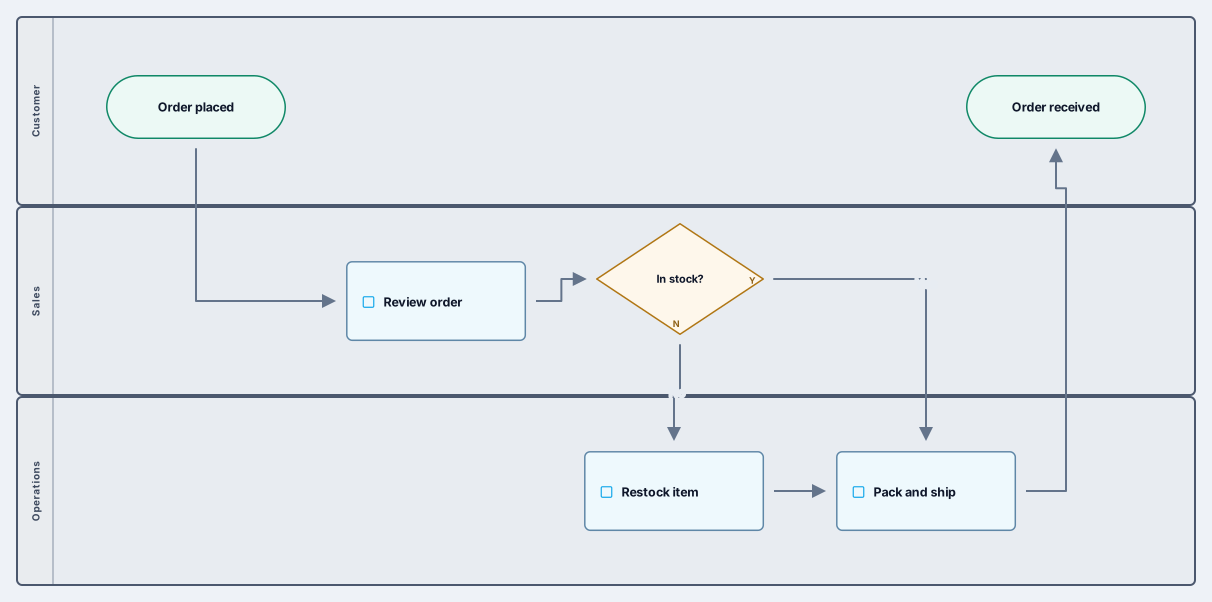
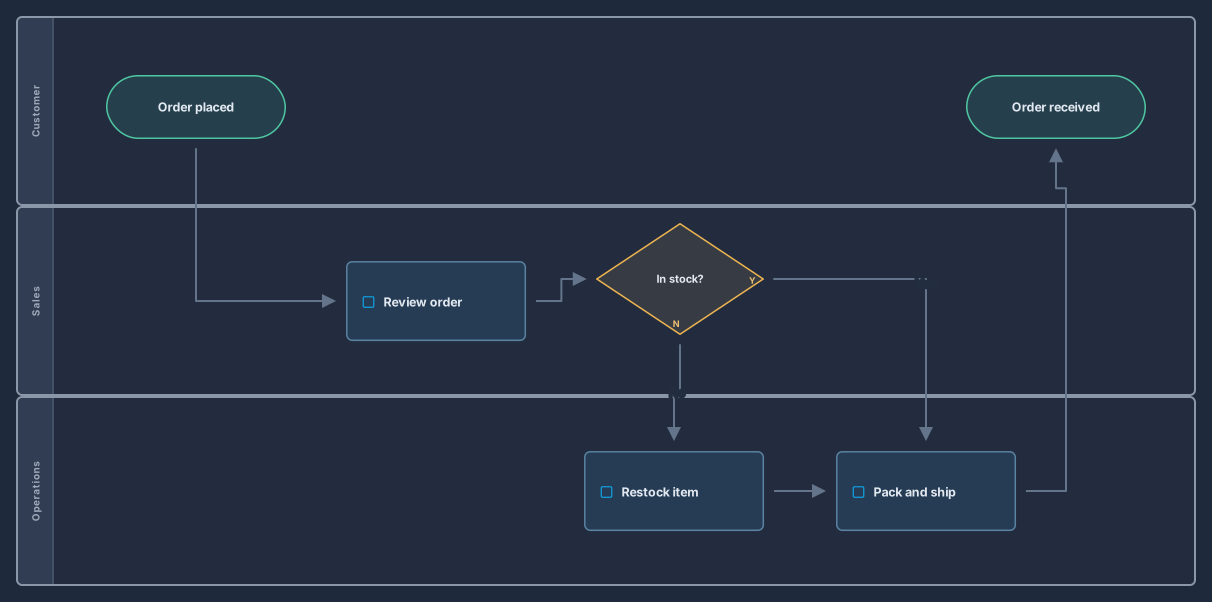
Cross-functional flow
The Cross-functional flow template opens a three-lane order process (customer, sales, operations) with a stock check and Yes and No branches. Rename the lanes for your teams and swap in your own steps.
Opens an editable copy in your workspace. New to Archboard? Sign in with Google or GitHub and the copy opens right after.
A flowchart maker for processes people actually follow
Flowcharts fail when the shapes stop meaning anything. With a rectangle for every step, arrows that cross each other, and a decision hidden inside a sentence, the reader gives up and asks the person who drew it. A good flowchart uses the standard vocabulary so anyone can read it: terminators where the process starts and ends, process steps, decision diamonds with labelled Yes and No branches, and data, document, and manual input shapes for what the process reads and writes. The Archboard Flowchart pack ships those shapes with ports that connect cleanly, and orthogonal edges keep the lines straight and readable.
When a process crosses teams, give each team its own lane. The cross-functional flow template uses BPMN pools as lanes for customer, sales, and operations, with every step inside the lane of the team that owns it, so each hand-off shows up as an edge crossing a lane boundary. BPMN start, end, task, and gateway nodes sit beside the flowchart shapes for teams that prefer BPMN notation, and connector shapes keep a long flow tidy when it continues somewhere else on the board.
From whiteboard sketch to a process map that stays current
A flowchart is only useful while it matches how the work really happens. Keep it on a hosted canvas instead of a slide: update a step the day the process changes, save a revision snapshot before each review so the previous version is one click away, and share a branded public link with the people who follow the process. Export SVG or PNG for the wiki or the onboarding guide, and export structured JSON when the model has to travel. Pro adds embed plus watermark-free PDF and JPEG.
Operations teams map order handling and escalations, product teams draw user flows with wireframe screens beside the steps, support teams document triage paths, and engineers sketch the logic of a feature before writing it. Because the same canvas also holds architecture packs, a process can point at the systems it touches without a second diagram. Sign in with Google or GitHub, start from the cross-functional flow template, and draw the process your team argues about most.
Start from a template
- Cross-functional flowThree lanes (customer, sales, and operations) with a stock check and Yes and No branches.
- User flowScreens and decisions from the first visit to the dashboard, drawn with flowchart and wireframe shapes.
Questions
Which flowchart shapes are included?
Terminator, process, decision, data, document, preparation, manual input, connector, or, and summing junction, plus BPMN start, end, task, gateway, and pool nodes for process notation. Every built-in pack is included on the Free plan.
Can I draw swimlanes?
Yes. Use BPMN pools as lanes, one per team or role, and place each step inside the lane that owns it. The cross-functional flow template opens with three lanes you can rename and extend.
Is a flowchart the same as a BPMN diagram?
Not quite. A flowchart uses a small set of shapes that anyone can read, while BPMN adds formal events, gateways, and pools. Archboard has both packs on the same canvas, so you can start simple and add BPMN nodes only where the process needs them.
Open a canvas in a minute
Sign in with Google or GitHub. Free for a single seat. Upgrade when the team joins.