Infographic
Key numbers, trends and goals for one quarter on a single poster
Works on the Free plan: 15 diagram nodes + 150 notes, text, stickers & mind map topics per diagram.
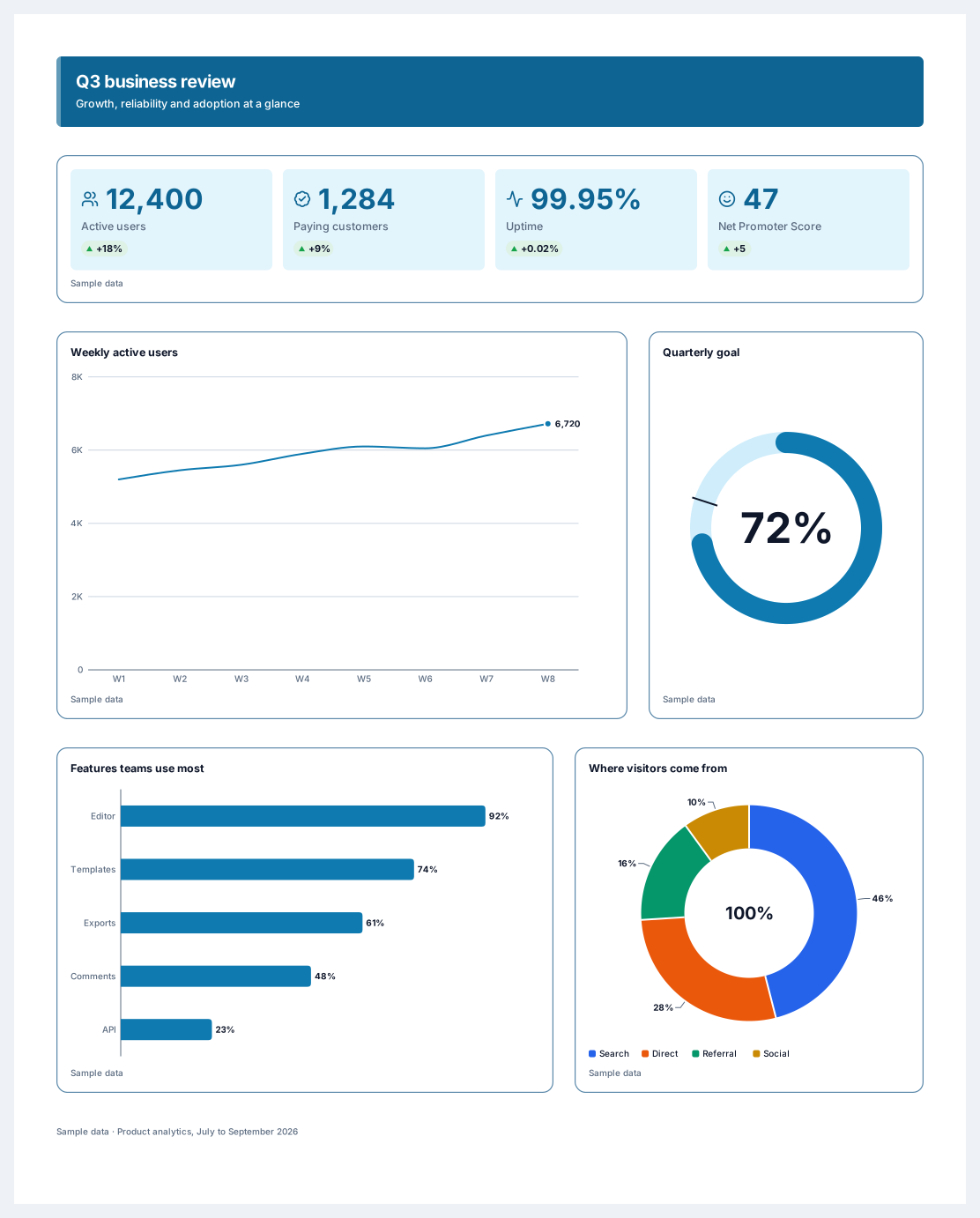
A KPI one-pager puts the numbers a team reviews every quarter on a single poster: a headline band, four key metrics, a weekly trend next to a goal ring, and two charts that explain where the results came from. It is made for business reviews, investor updates, and all-hands meetings where people need the whole story in one glance.
Every chart, KPI row, and progress ring is a smart block. You type the numbers into a small table and the block redraws itself, with axes, labels, and colours that follow the poster theme. The sample figures stay marked as sample data until you replace them, so a draft never goes out looking final.
Open the template and rewrite the headline band with your period and the main message.
Select each block and enter your own numbers in its data table, or paste rows copied from a spreadsheet.
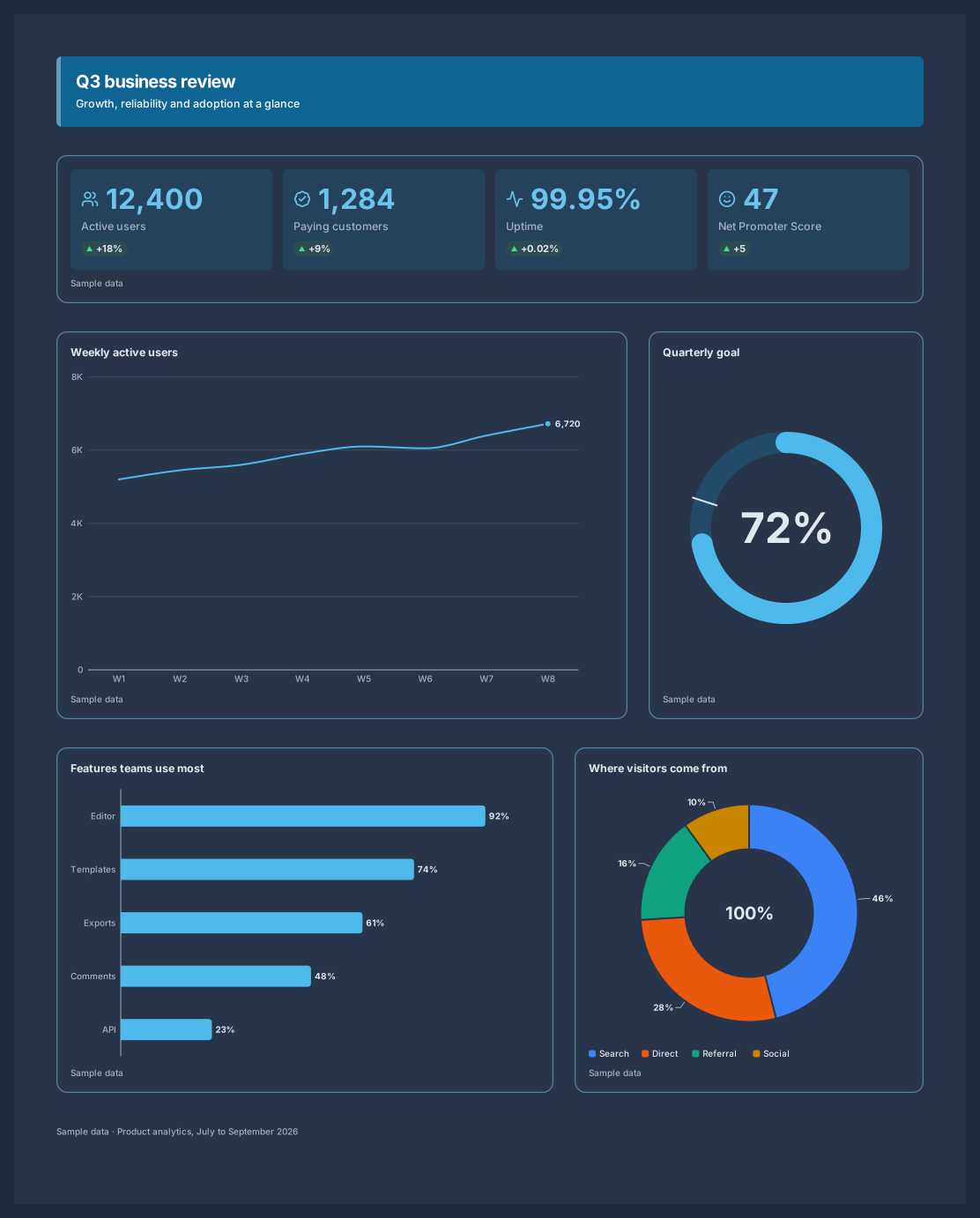
Pick a theme from the poster style menu so every chart, ring, and KPI card shares the same colours and fonts.
Export the poster as PNG, SVG, or PDF, or share a live link that shows the latest numbers.
Yes. Chart blocks have a data table that accepts rows pasted from a spreadsheet. Numbers are read in the format of your language, and a value that could be read two ways is marked for you to check instead of guessed.
Each chart, KPI row, and progress ring is one diagram node, however many values it holds. The poster uses 7 diagram nodes and a source line, which fits a Free diagram of 15 diagram nodes + 150 notes, text, stickers & mind map topics.
Yes. AI agents connected through MCP can build or update infographic posters from the data you give them, and you watch the changes on the canvas live. The agent works with your numbers and leaves a block empty rather than inventing figures.
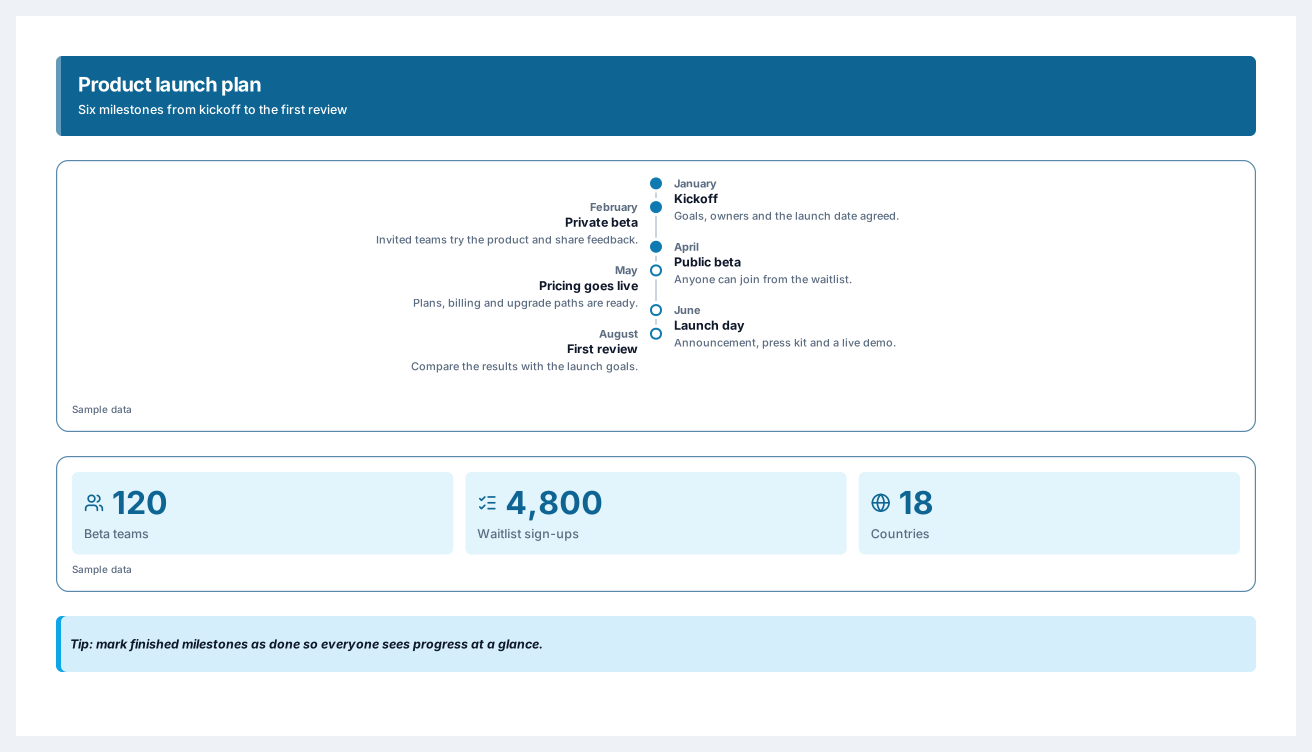
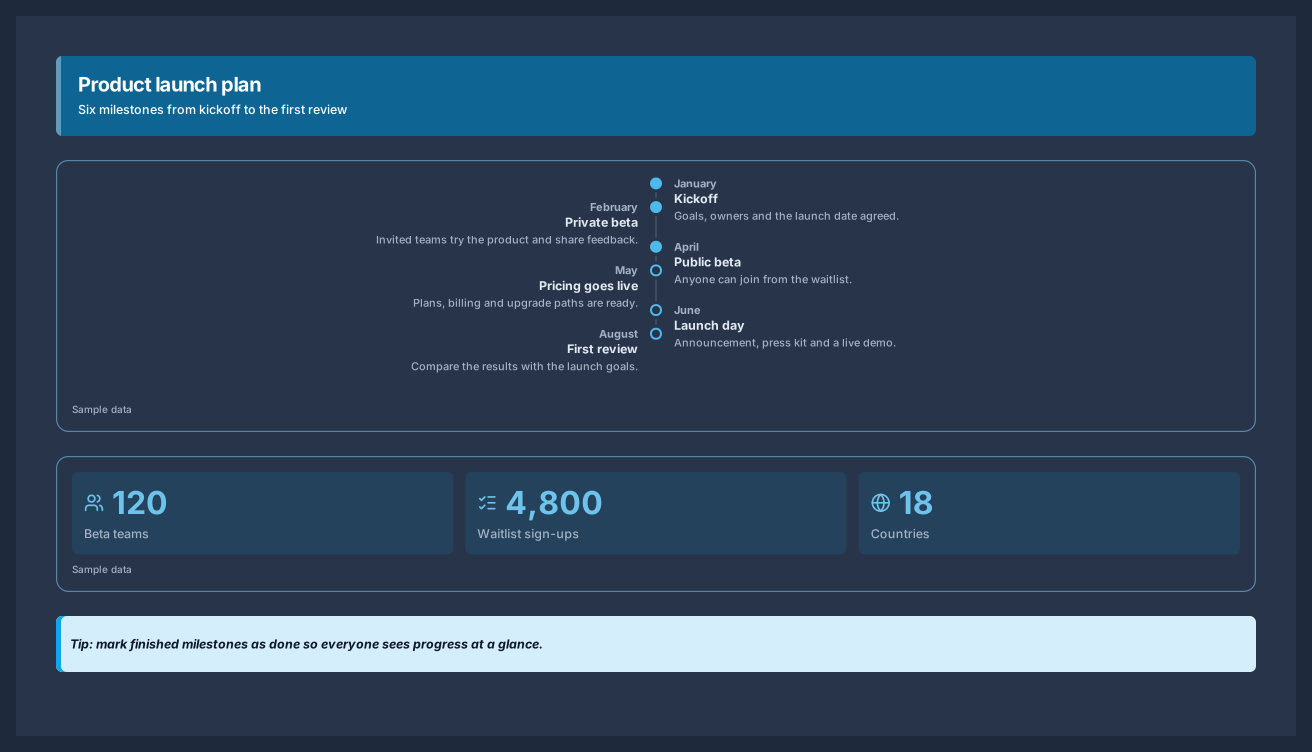
Six milestones from kickoff to launch day, with the numbers behind the plan
5 nodes
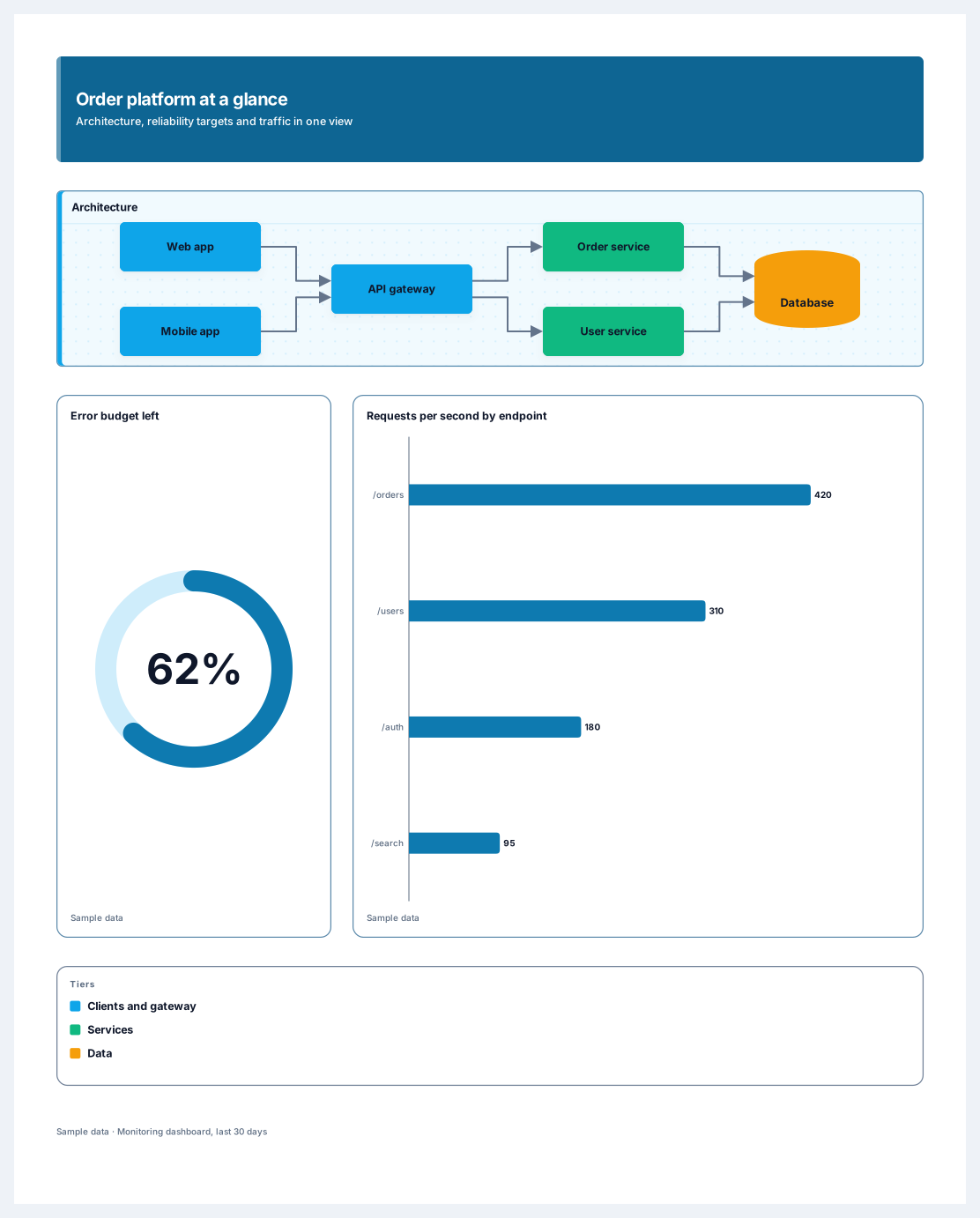
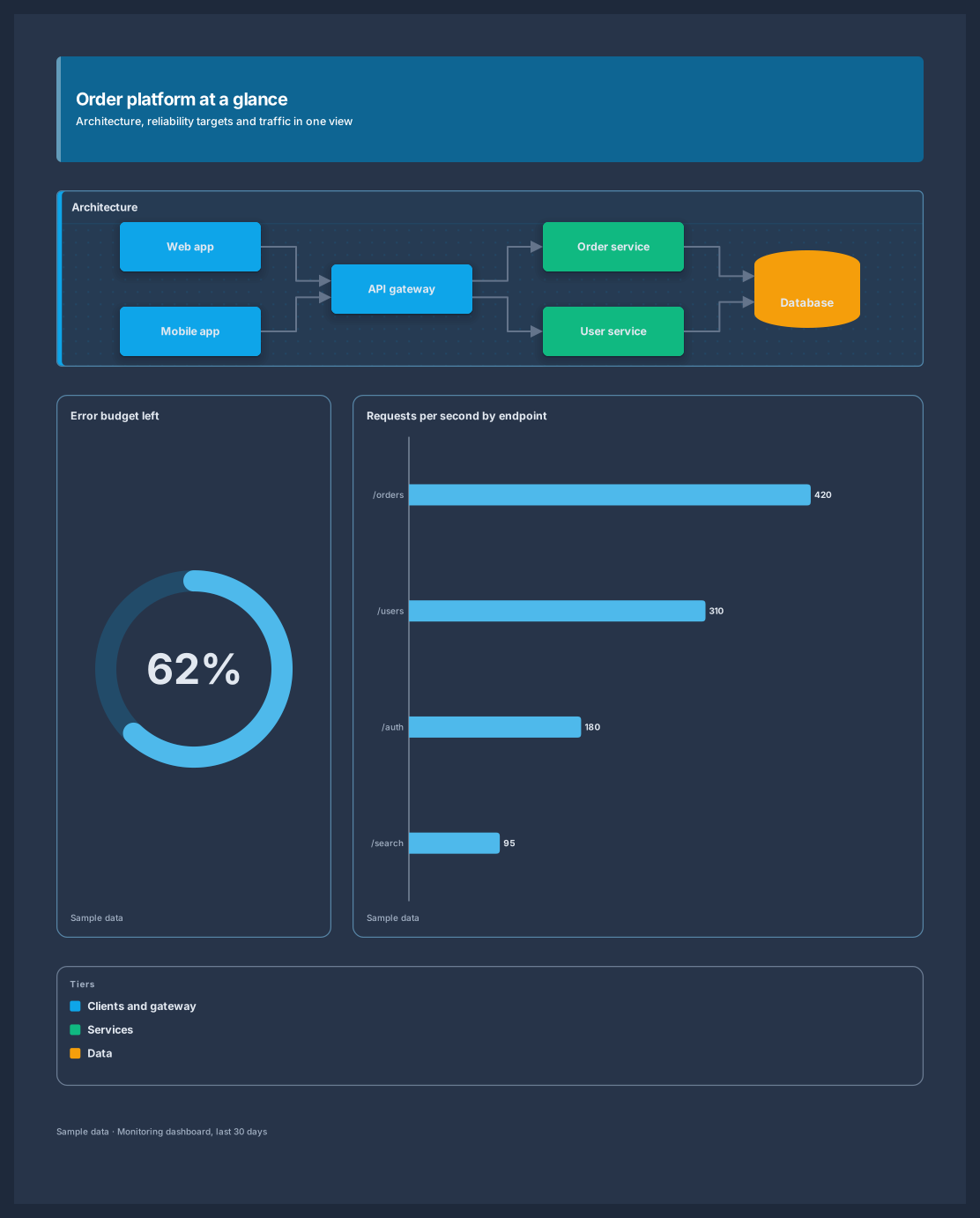
An architecture diagram, reliability targets and traffic on one poster
13 nodes
Sign in with Google or GitHub. Free for a single seat. Upgrade when the team joins.