Infographic
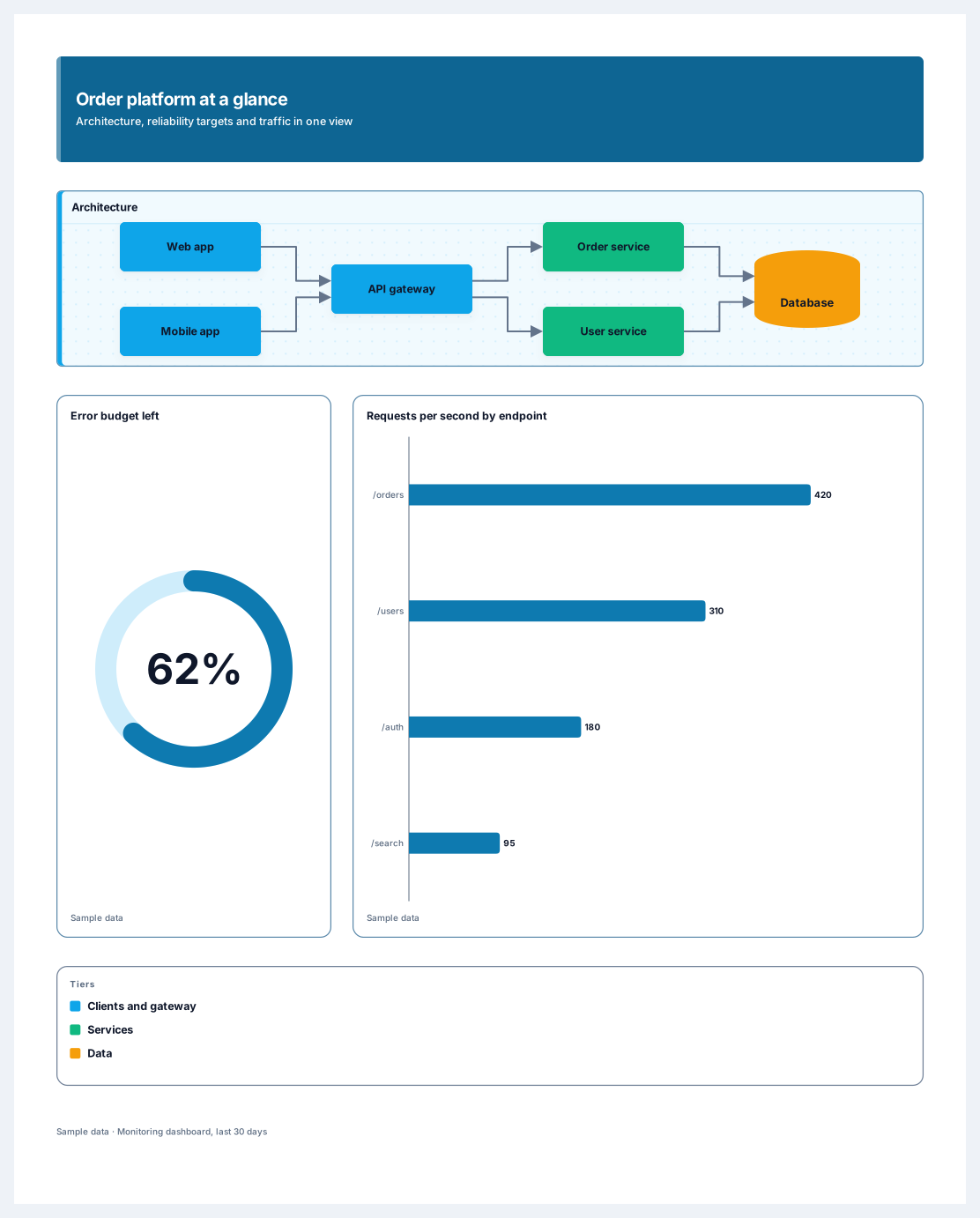
An architecture diagram, reliability targets and traffic on one poster
Works on the Free plan: 15 diagram nodes + 150 notes, text, stickers & mind map topics per diagram.
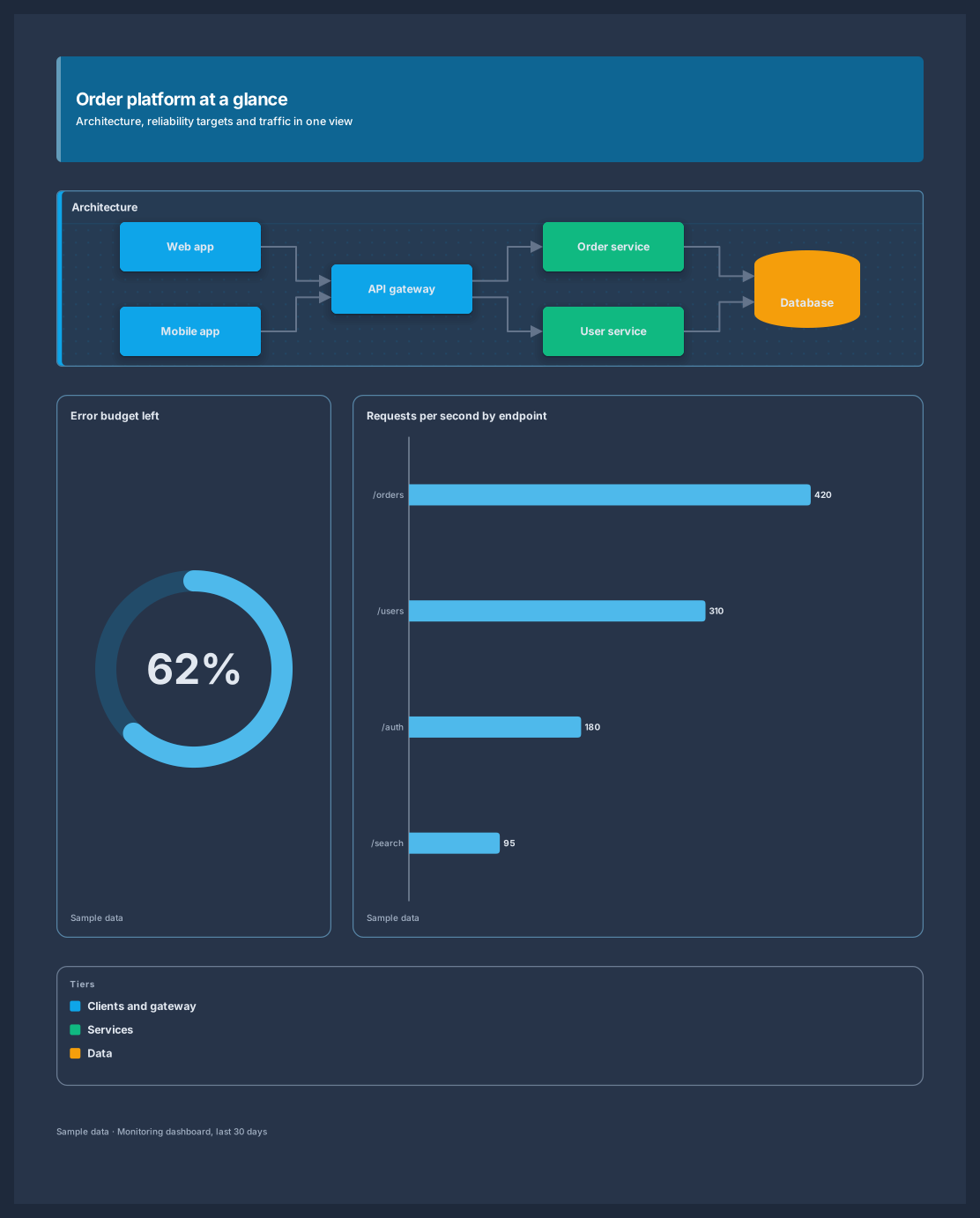
An architecture summary poster puts a system diagram and the numbers that describe its health on one page. This template combines a title band, an architecture diagram with clients, an API gateway, two services, and a database, an error budget ring, a requests-per-second chart, a legend, and a source line.
It is made for the moments when a full architecture document is too much: onboarding a new engineer, a quarterly reliability review, or a README image that shows how the system fits together. The diagram is made of real Archboard nodes and edges you can extend, and the charts redraw when you type new values.
Rename the components and connections in the diagram to match your system, or ask an AI agent to rebuild them from a Mermaid description.
Set the error budget ring and the traffic chart to the numbers from your monitoring.
Edit the legend so it explains the tiers or colours you use.
Share a live link, or embed the poster on Pro, so the README image and the team view always match.
Yes. Keep the poster in its own diagram and share it; the live SVG link always shows the latest version, so the image in the README updates whenever the poster changes.
The poster uses 12 diagram nodes and a source line. That fits a Free diagram of 15 diagram nodes + 150 notes, text, stickers & mind map topics, with room for a few more components.
Yes. An AI agent connected through MCP can compose the poster from a Mermaid description of your system and the numbers you give it, and the person the agent works for can undo its change in one step.
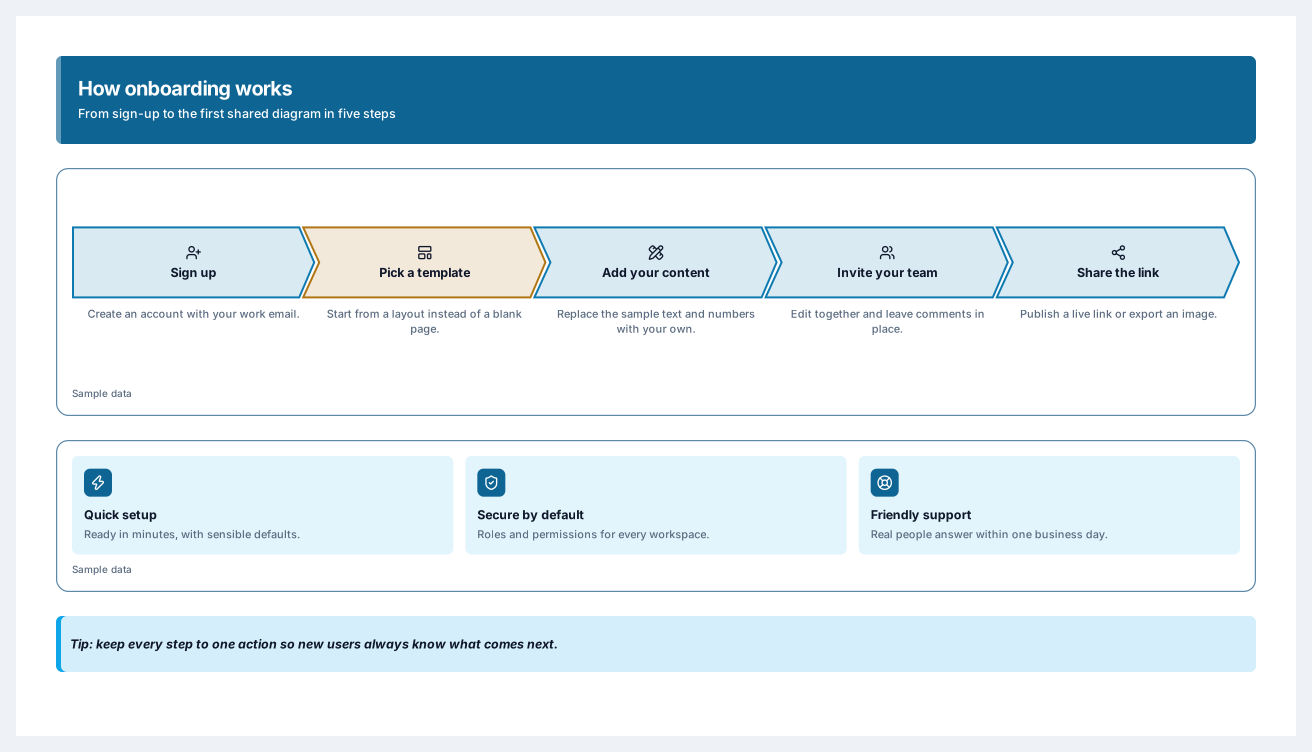
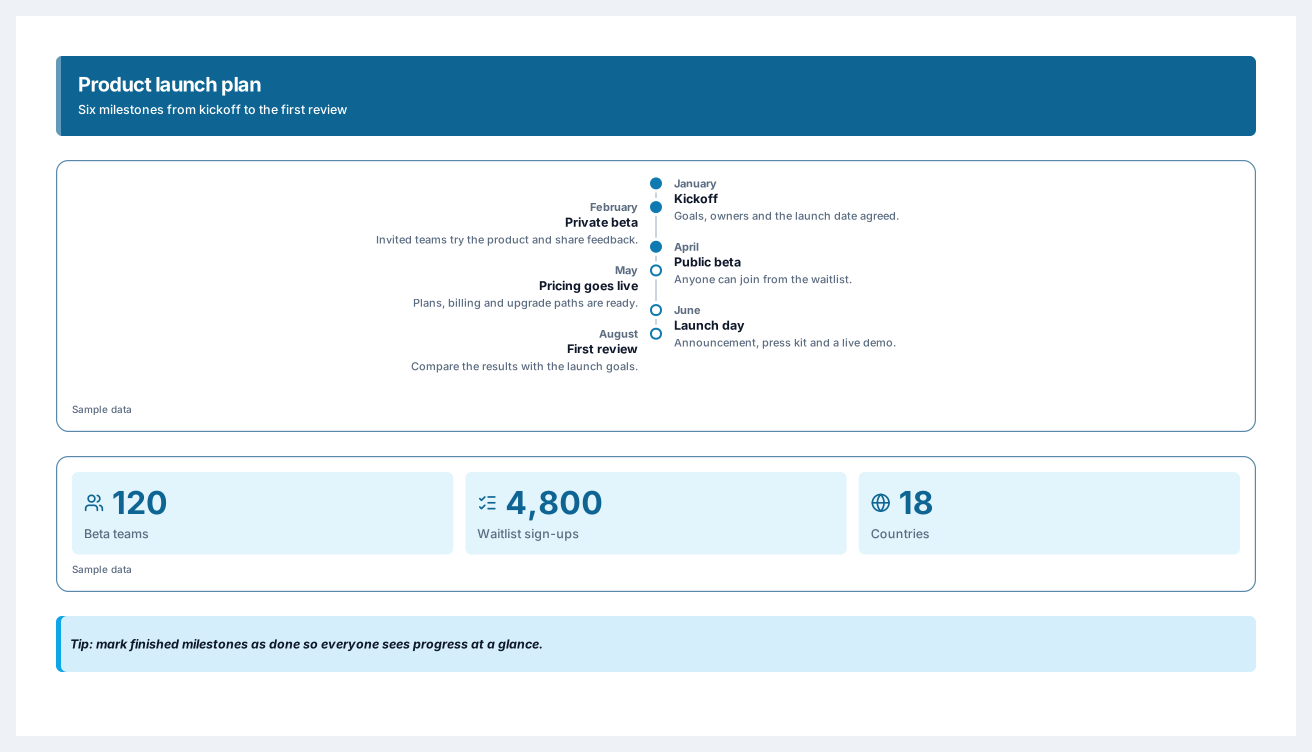
Six milestones from kickoff to launch day, with the numbers behind the plan
5 nodes
Sign in with Google or GitHub. Free for a single seat. Upgrade when the team joins.