Planning
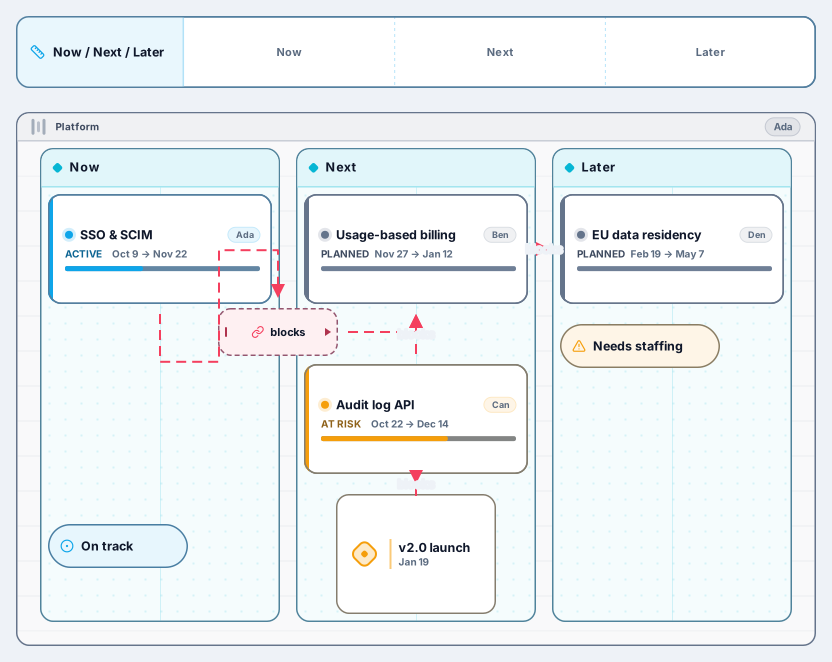
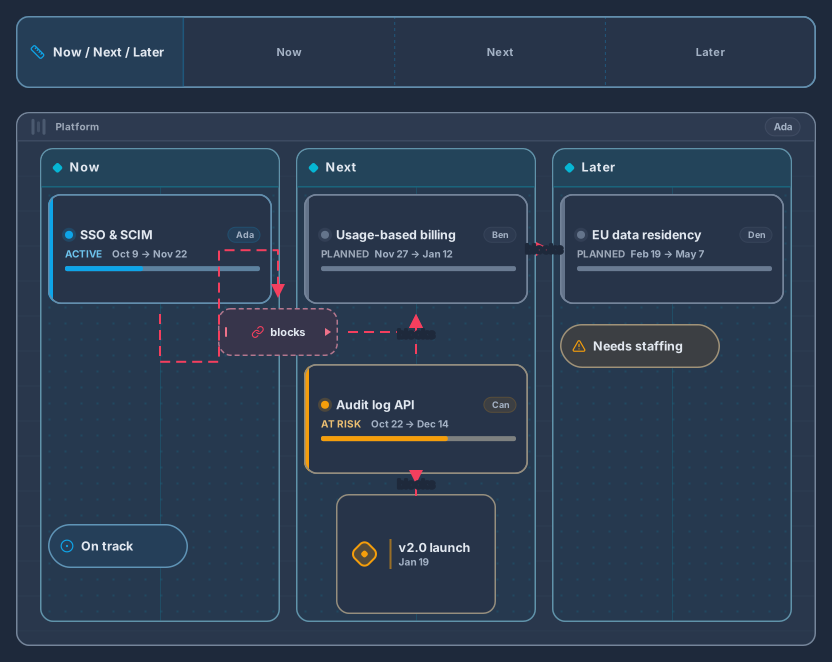
Swimlane with Now, Next and Later columns, epics and milestones
Works on the Free plan: 15 diagram nodes + 150 notes, text, stickers & mind map topics per diagram.
A now, next, later roadmap shows priorities without promising exact dates. This template puts one swimlane on a timeline with three columns: work in progress now, what comes next, and what is planned for later. Epics carry a status, a milestone marks the launch, and a dependency arrow shows what blocks what.
The example lane is a platform team with single sign-on, usage-based billing, an audit log API, and EU data residency. Rename it for your product, add more lanes for other teams, and move epics between columns as plans change. Stakeholders read the board in seconds because the columns answer the question they actually ask: what is happening, and in what order.
Rename the timeline and the swimlane, then add a lane for every team or product area you plan for.
Replace the sample epics with your own and drop each one into now, next, or later.
Set a status on each epic, add milestones for launches, and draw arrows where one piece of work blocks another.
Share the link with stakeholders and save a named revision whenever the plan changes, so you can show what moved. Free keeps up to 3 named revisions per diagram; Pro keeps a longer history.
The format trades precise dates for honest priorities. Items in now are underway, next are lined up, and later are intentions. If you need dates, add milestones to the timeline instead of forcing every epic onto a calendar.
Yes. Use presentation mode to walk through the board, or share a read-only link. On Pro you can also embed the live roadmap in another page.
Sign in with Google or GitHub. Free for a single seat. Upgrade when the team joins.