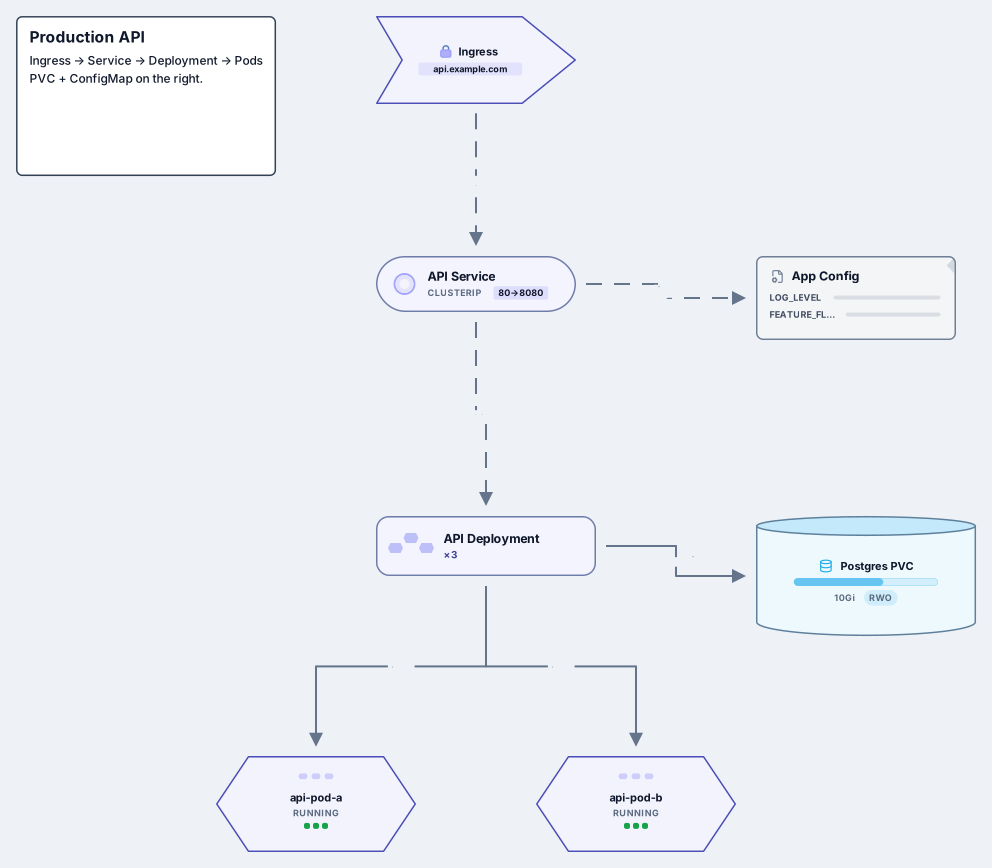
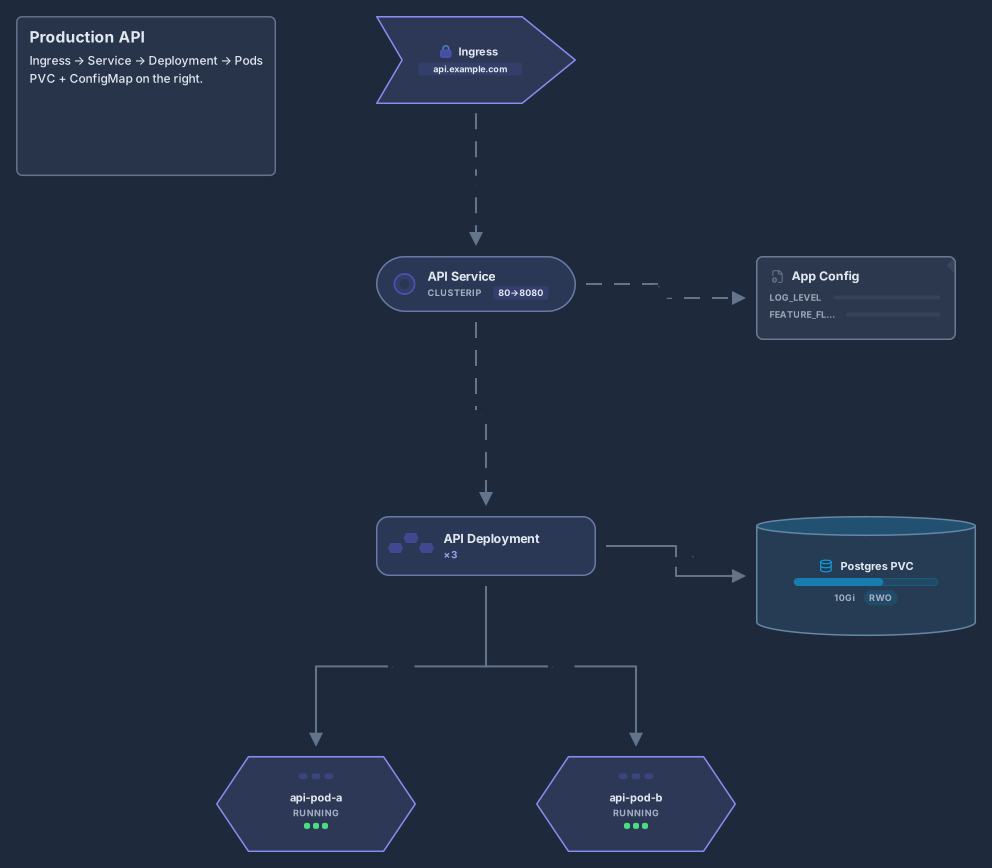
Kubernetes cluster architecture
Control plane, worker nodes, kubelet, kube-proxy, pods and Ingress
14 nodes
- Stack
- Kubernetes
Architecture
Producers, Kafka topics, consumers, a dead-letter queue and analytics
Works on the Free plan: 15 diagram nodes + 150 notes, text, stickers & mind map topics per diagram.
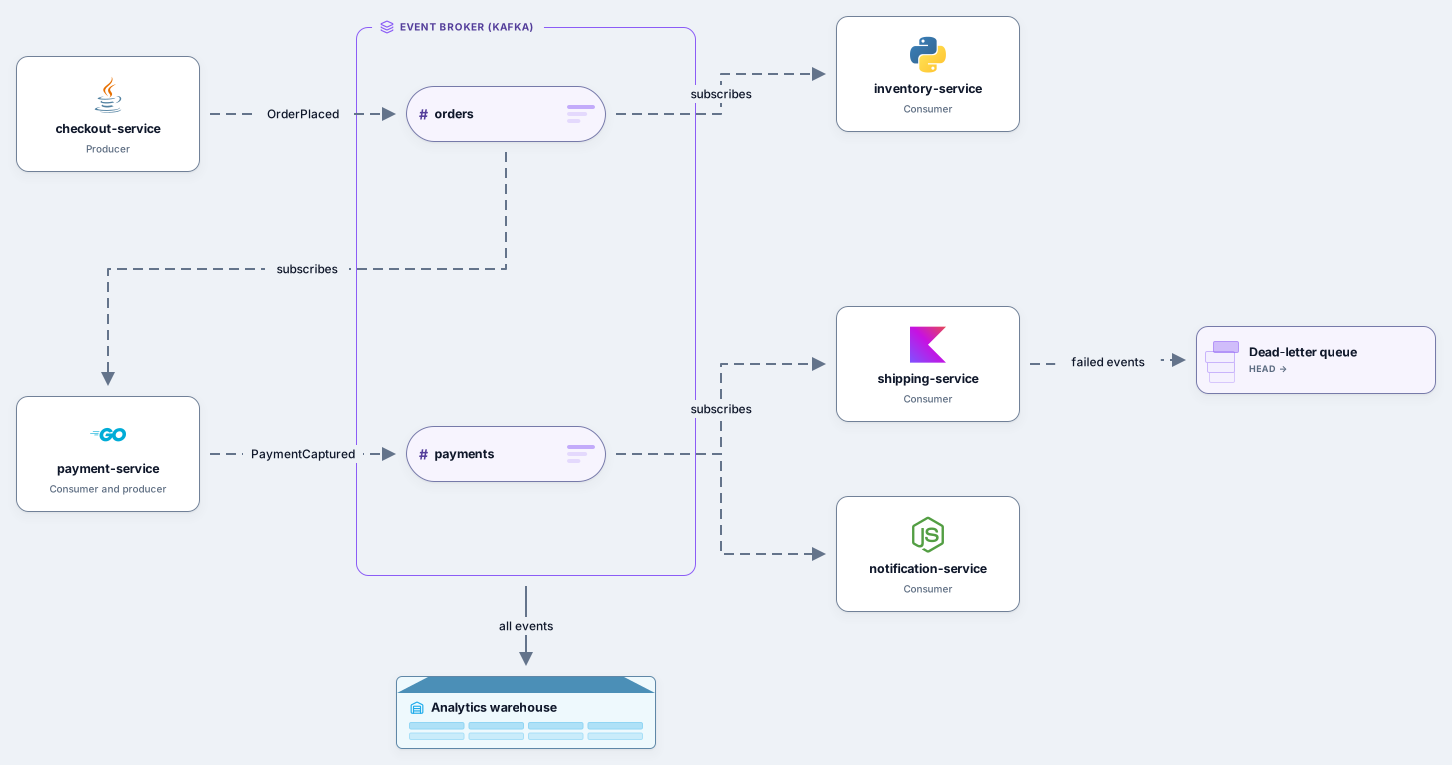
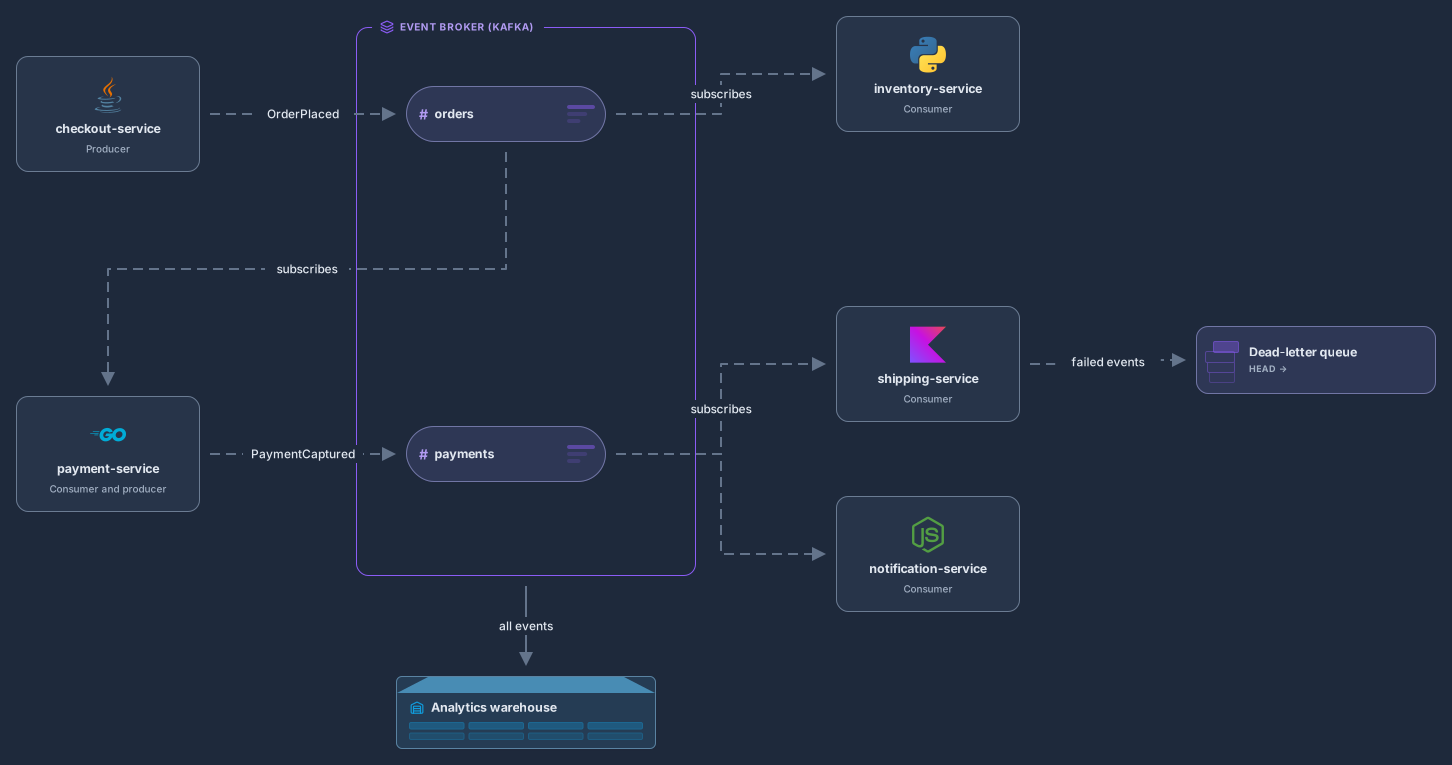
In an event-driven architecture, services announce what happened and other services react, instead of calling each other directly. This template shows checkout-service publishing OrderPlaced to the orders topic of an event broker, while payment-service and inventory-service subscribe to that topic.
Payment-service then publishes PaymentCaptured to the payments topic, which shipping-service and notification-service consume. Events that cannot be processed go to a dead-letter queue, and an analytics warehouse receives every event. Producers sit on the left, the broker and its topics in the middle and consumers on the right, so the flow reads from left to right.
Rename the topics and the events to match your domain, with past-tense event names like OrderPlaced.
Add producers and consumers from the Stack pack and connect them to topics with dashed edges.
Add a dead-letter queue for every consumer that can fail, and note which events the analytics warehouse keeps.
Share the diagram with every team that publishes or consumes events, and save a revision when a topic or an event changes.
No. The broker frame says Kafka because it is common, but the same picture works for RabbitMQ, Amazon EventBridge, Google Cloud Pub/Sub or Azure Service Bus: rename the frame and the topics.
A dead-letter queue keeps the events a consumer could not process after its retries, so they are not lost and do not block the events behind them. Teams inspect them, fix the cause and replay them.
Yes. Use solid edges for direct calls and dashed edges for events, or start from the microservices template, which shows an API gateway and an event bus together.
Control plane, worker nodes, kubelet, kube-proxy, pods and Ingress
14 nodes
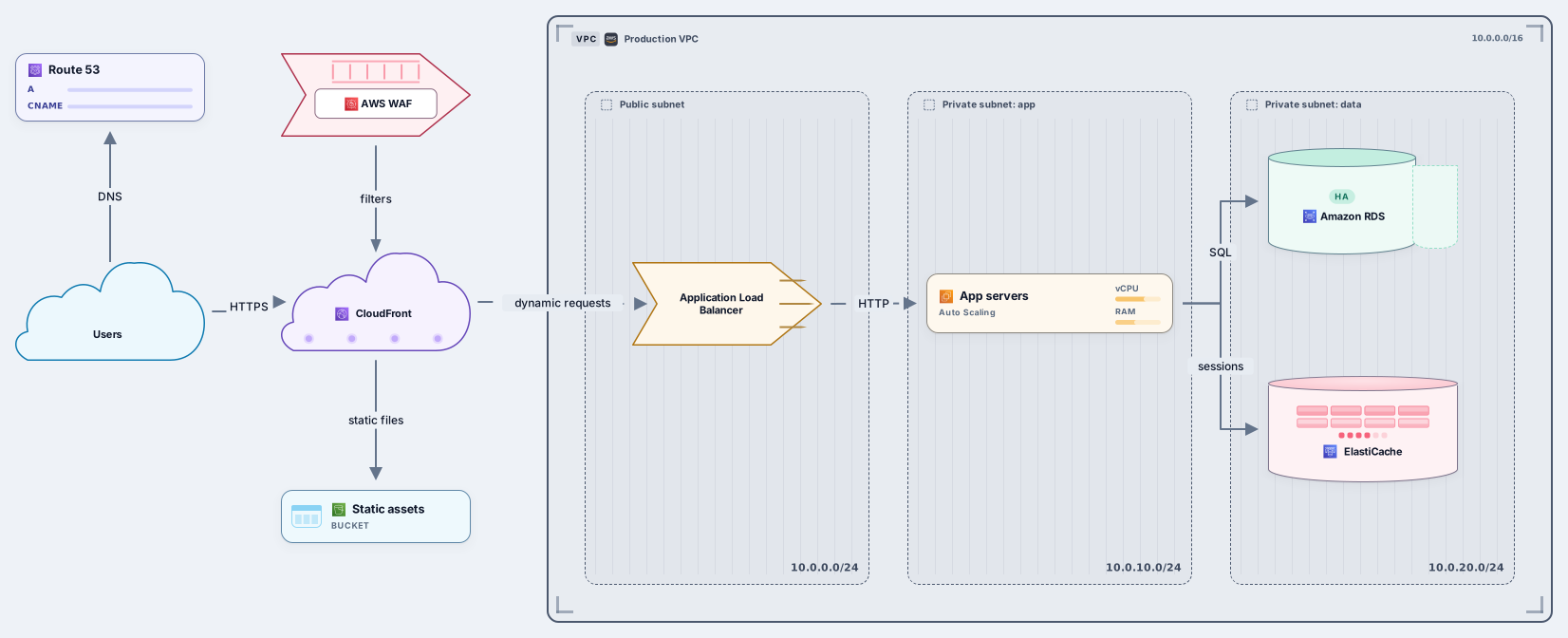
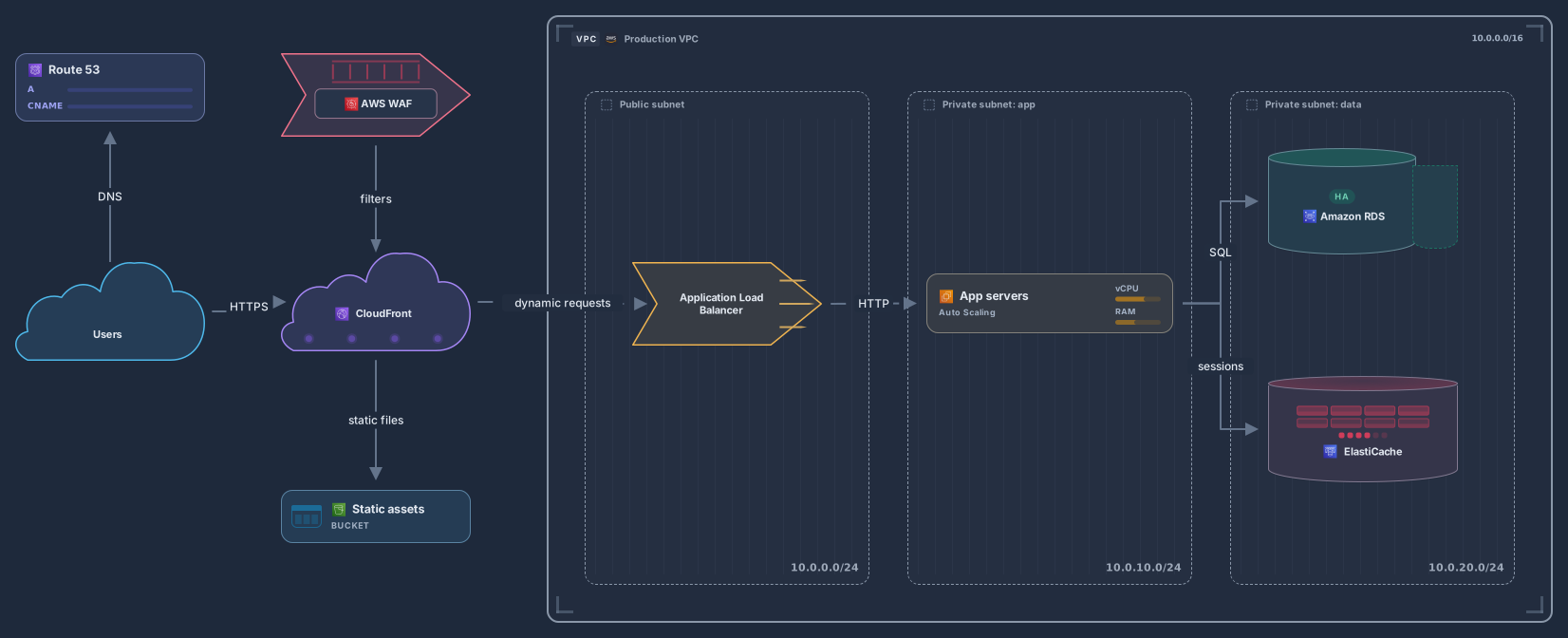
VPC with ALB, EC2 Auto Scaling, RDS, CloudFront and S3
13 nodes
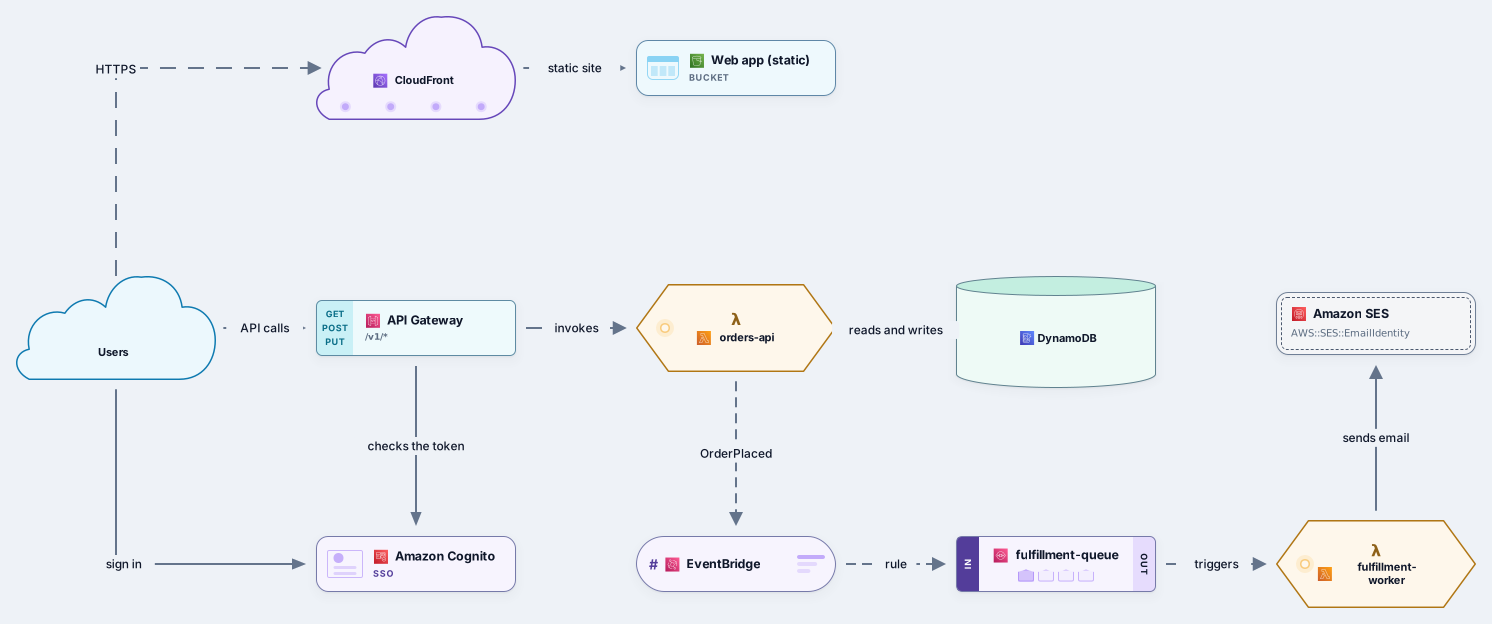
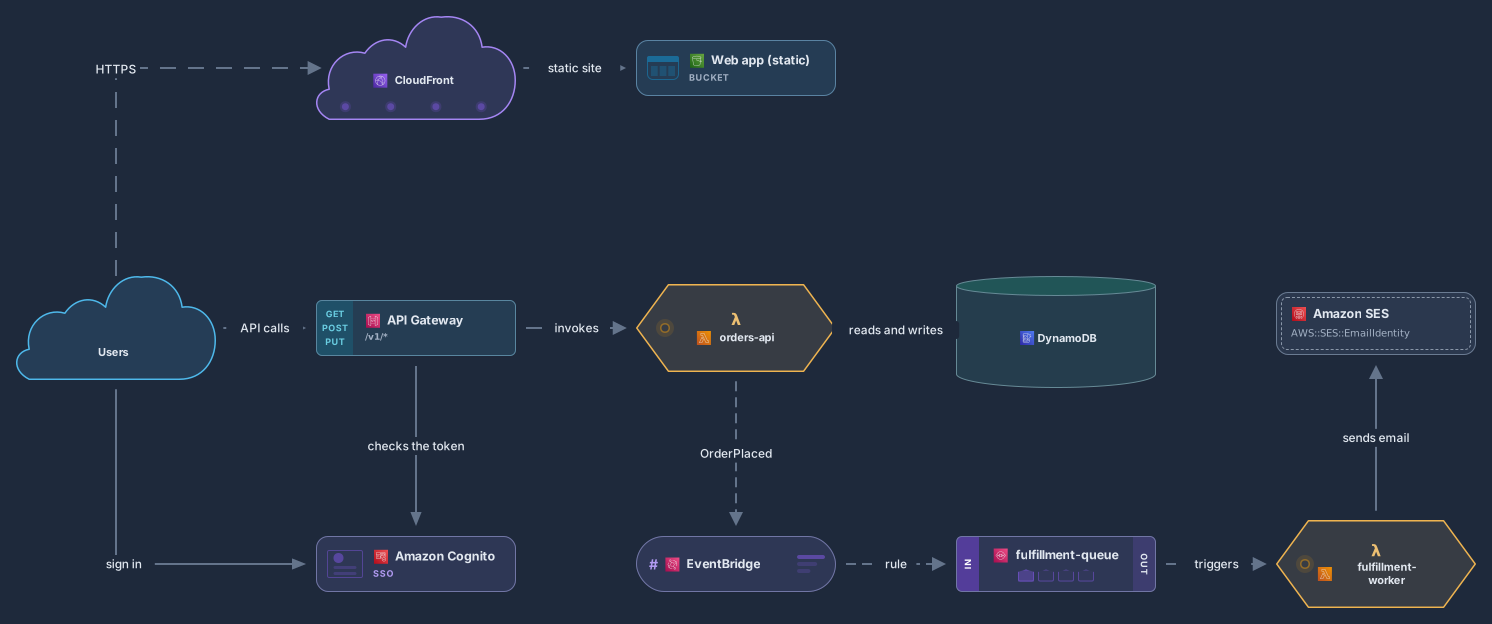
API Gateway, Lambda, DynamoDB, EventBridge, SQS and Cognito
11 nodes
Related use case
Cloud architecture diagramsSign in with Google or GitHub. Free for a single seat. Upgrade when the team joins.