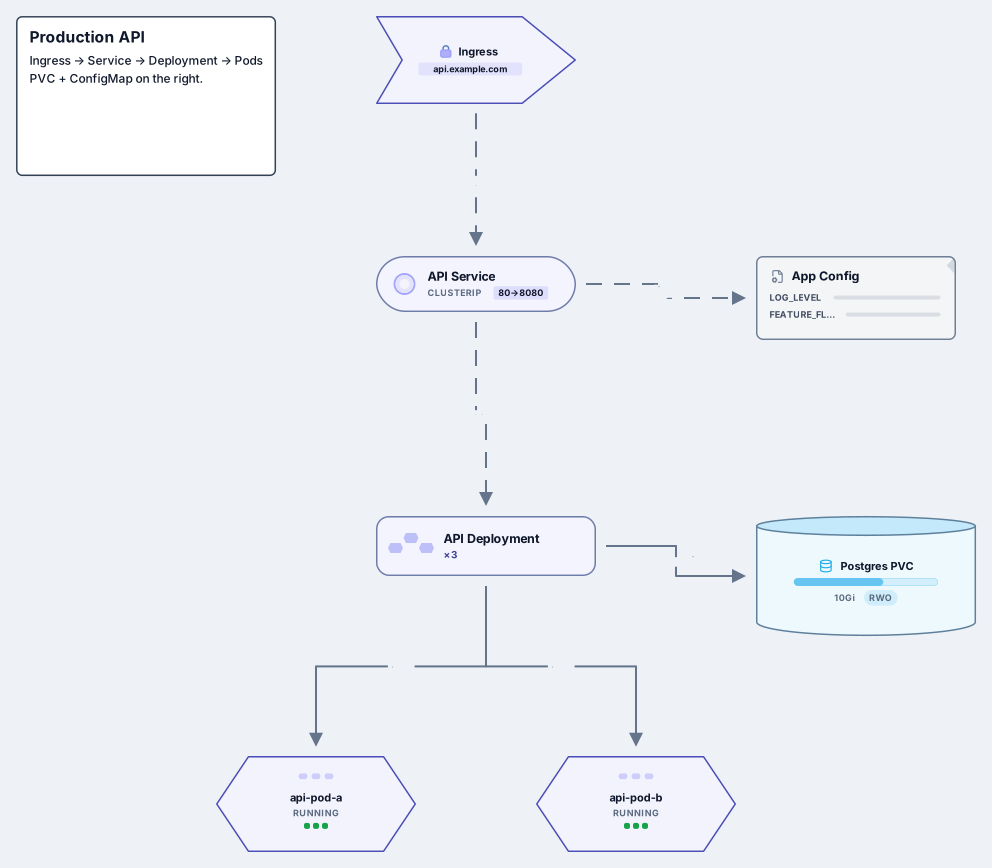
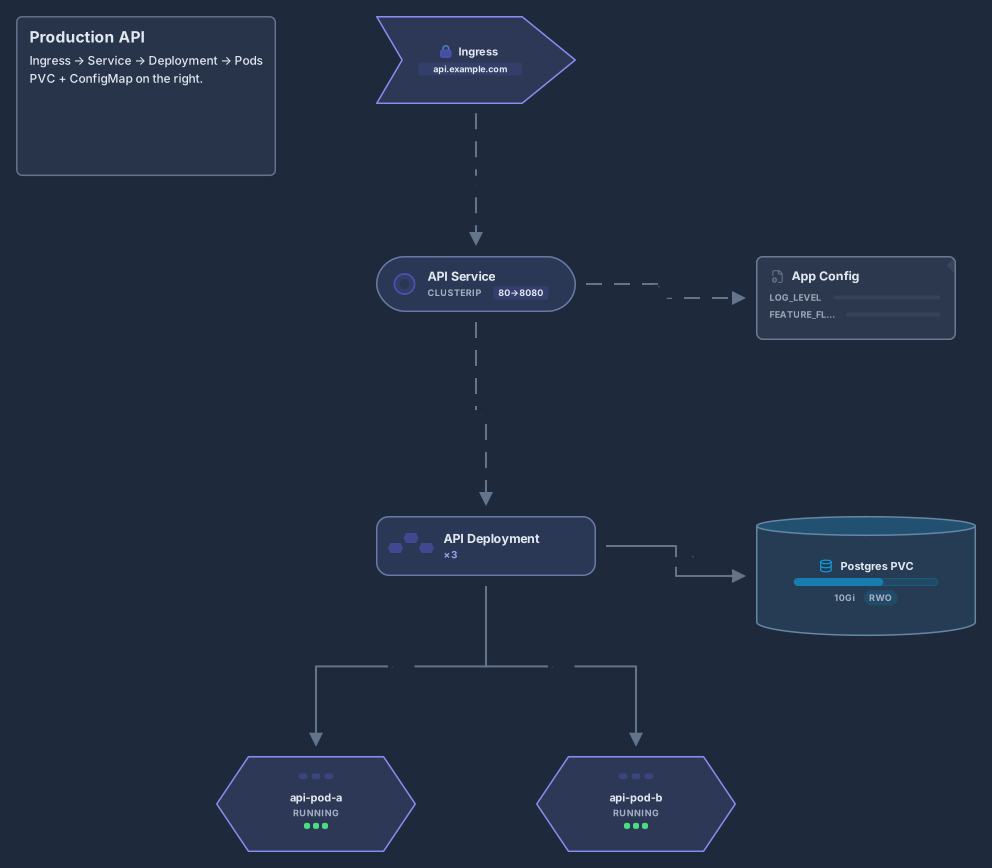
Kubernetes cluster architecture
Control plane, worker nodes, kubelet, kube-proxy, pods and Ingress
14 nodes
- Stack
- Kubernetes
Architecture
VPC with ALB, EC2 Auto Scaling, RDS, CloudFront and S3
Works on the Free plan: 15 diagram nodes + 150 notes, text, stickers & mind map topics per diagram.
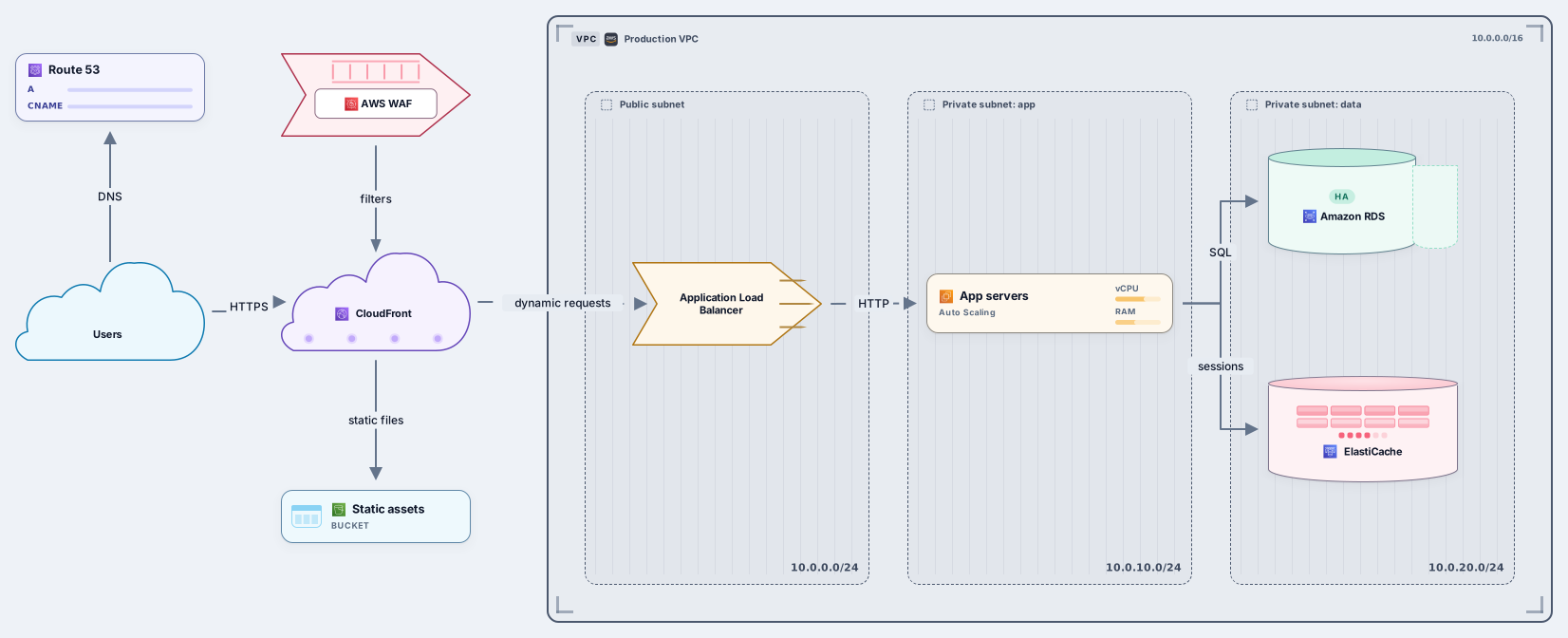
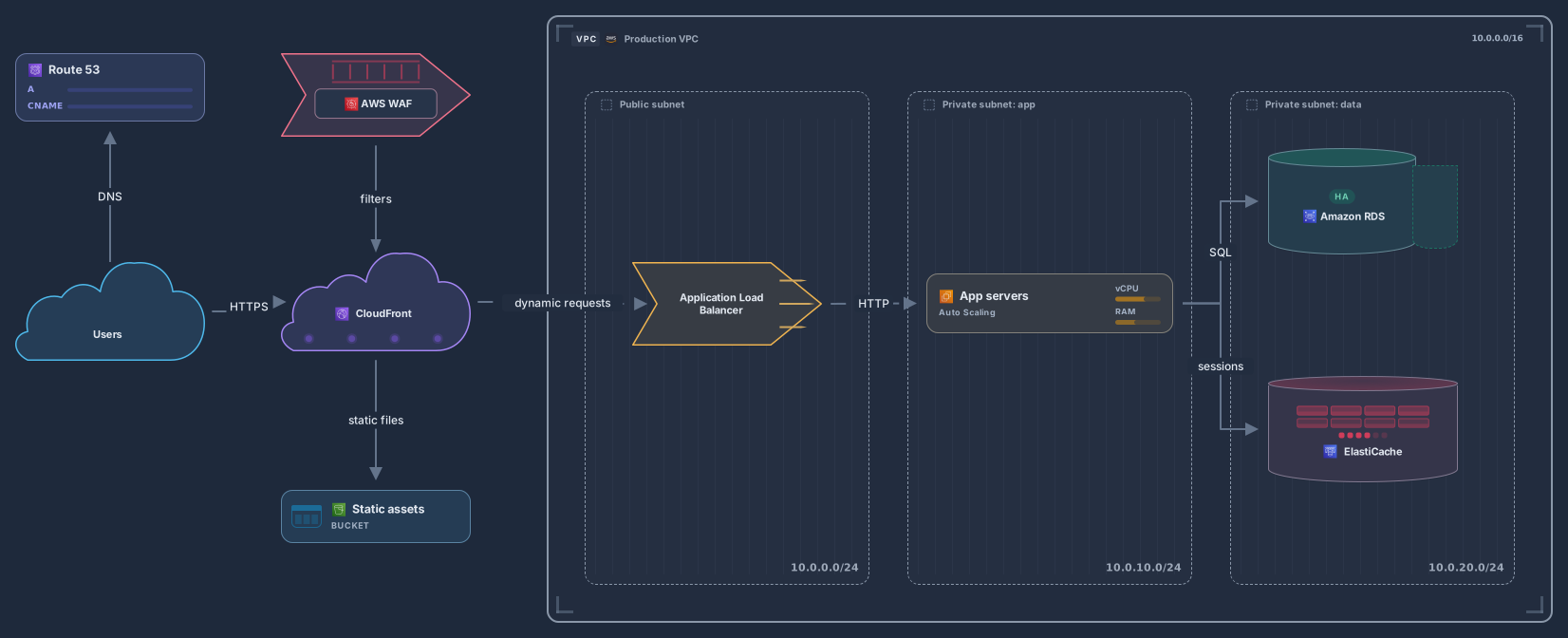
A three-tier web application on AWS splits the work into a presentation tier, an application tier and a data tier. In this template, Route 53 resolves the domain, CloudFront serves the site behind AWS WAF, static files come from Amazon S3, and dynamic requests reach an Application Load Balancer in a public subnet.
The load balancer forwards traffic to app servers in an EC2 Auto Scaling group in a private subnet, and the servers read and write Amazon RDS with Multi-AZ and keep sessions in ElastiCache in a separate data subnet. Every card is an editable cloud, network or data node with its AWS service icon, and the VPC and the subnets are frames you can resize.
Rename the VPC and the subnets, and set your own CIDR ranges on the frames.
Swap or add services: relabel the database card for Aurora, add a NAT gateway or split the app tier into several services.
Duplicate the subnets to show a second Availability Zone when you need to explain high availability.
Share a link for review, or export SVG, PNG or PDF for the design document, and save a revision after each change.
Yes, as a starting point. Paste .tf files or terraform show -json output into the free Terraform to diagram tool, or a template into the CloudFormation to diagram tool. VPCs and subnets become frames, and resources become cloud, network and data nodes with the same AWS service icons, ready to edit next to this template.
No. The cards are Archboard’s vendor-neutral cloud, network and data nodes with AWS service icons, the same icons the Terraform and CloudFormation importers use. If your organization requires the AWS Architecture Icons, upload them as images and place them on the canvas next to the cards.
Yes. Connect your AI agent to Archboard over MCP, open the diagram and ask it to add a service or a second Availability Zone. The change arrives on the canvas live, and you can undo a change your agent made on your behalf in one step.
Control plane, worker nodes, kubelet, kube-proxy, pods and Ingress
14 nodes
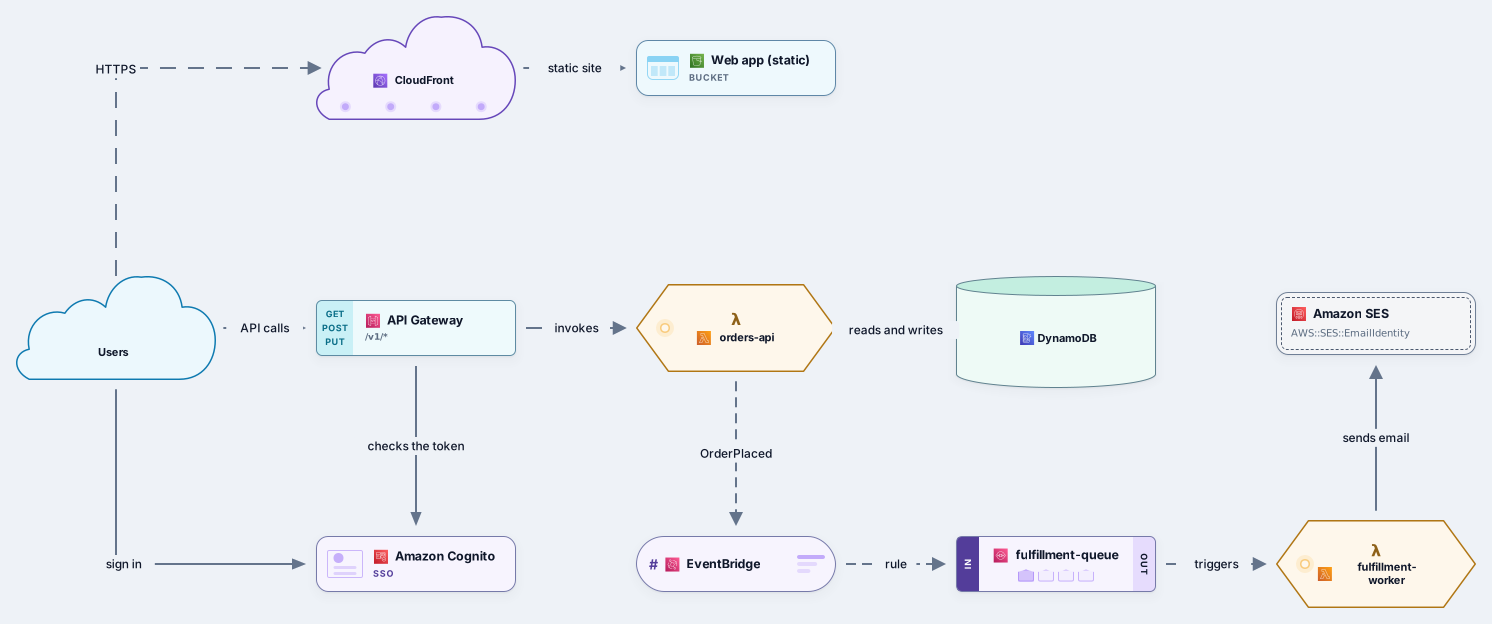
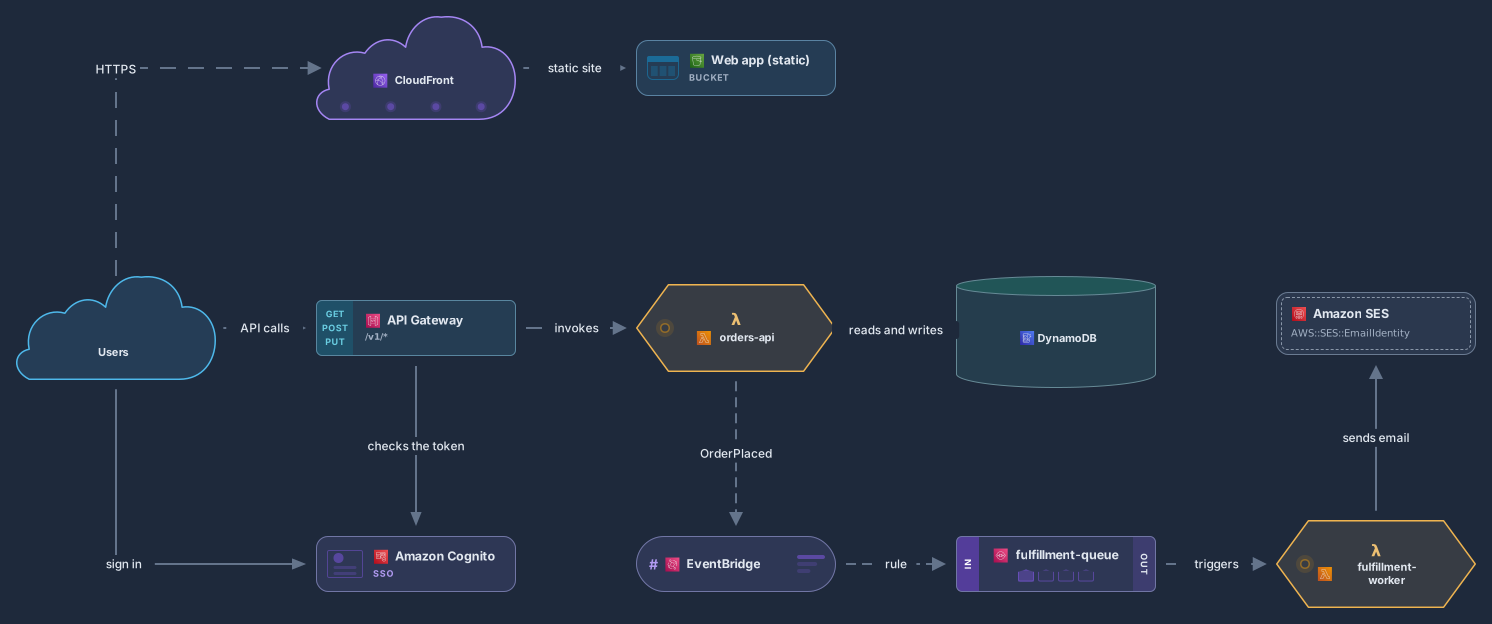
API Gateway, Lambda, DynamoDB, EventBridge, SQS and Cognito
11 nodes
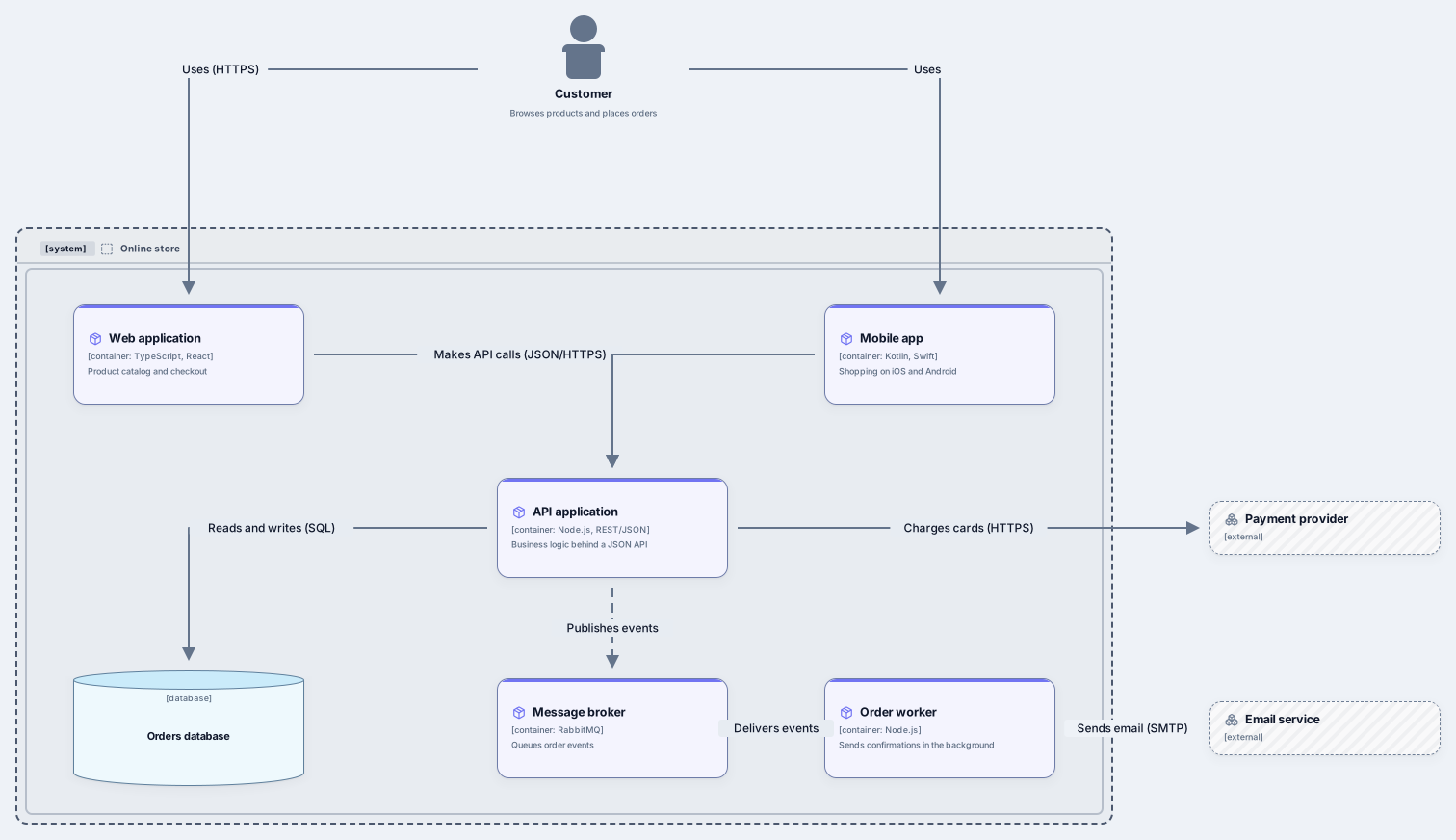
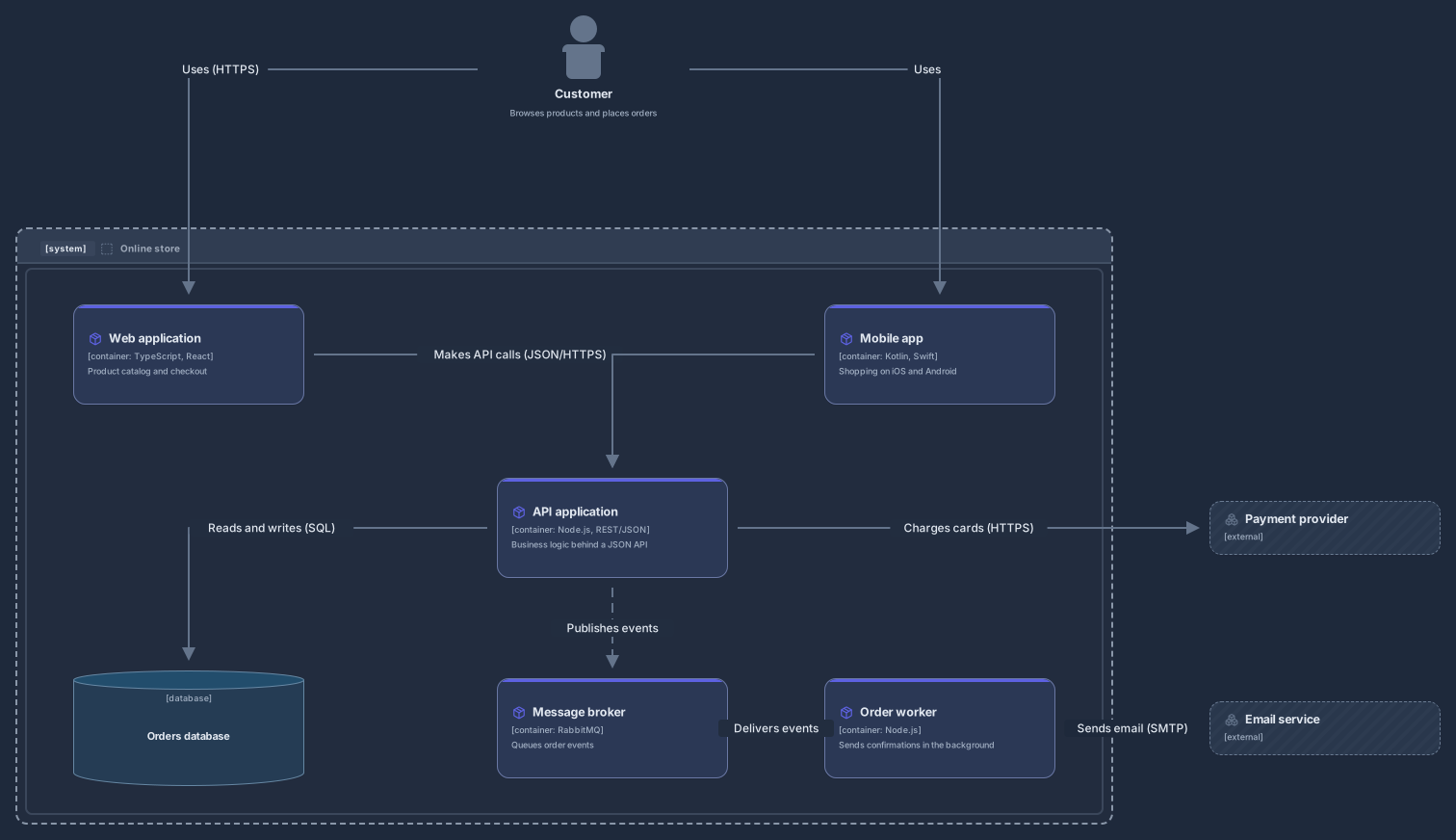
Related use case
Cloud architecture diagramsSign in with Google or GitHub. Free for a single seat. Upgrade when the team joins.