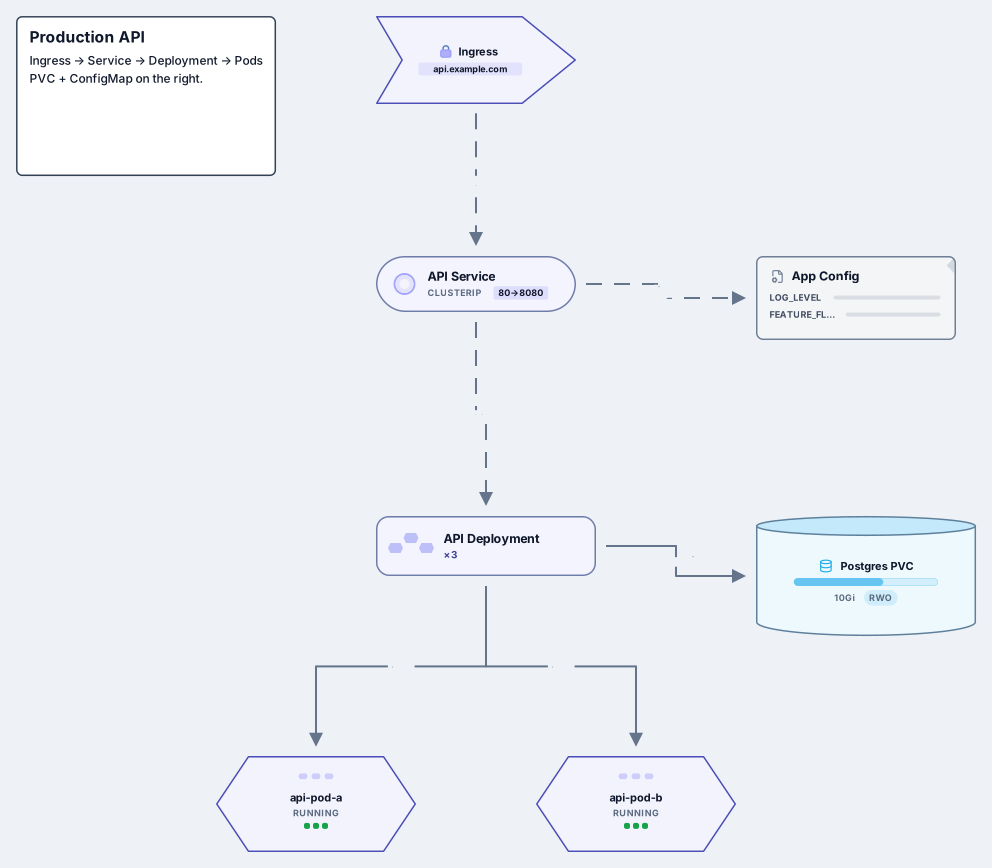
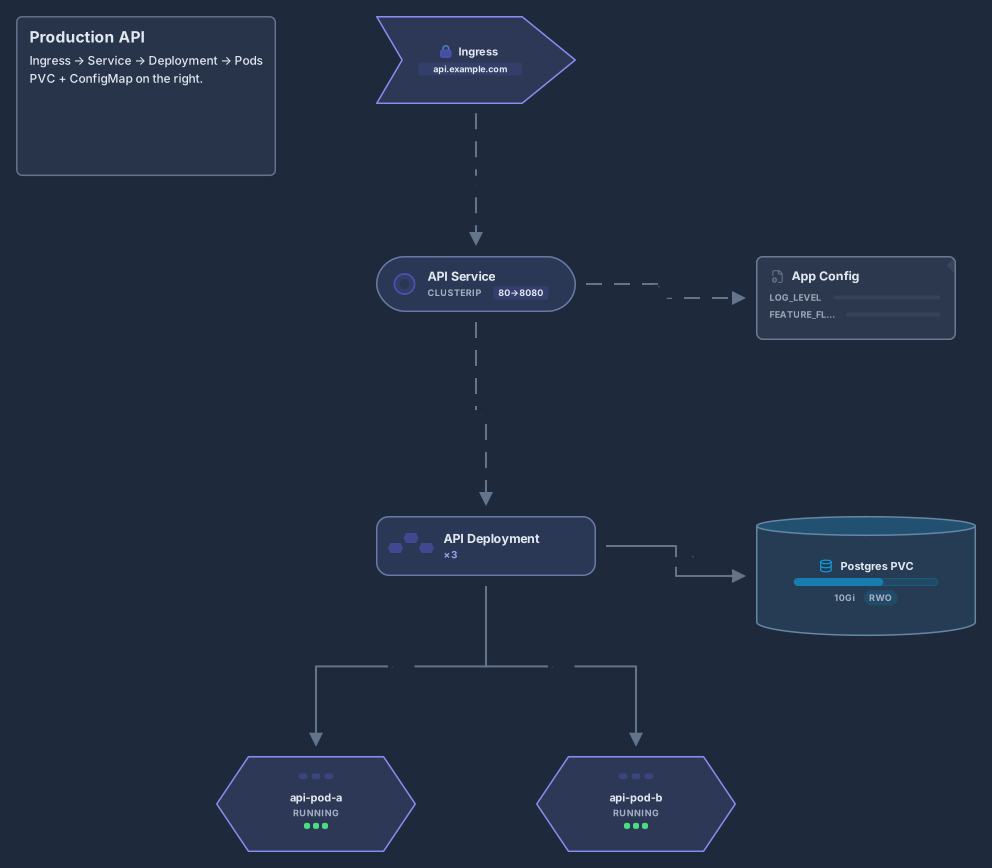
Kubernetes cluster architecture
Control plane, worker nodes, kubelet, kube-proxy, pods and Ingress
14 nodes
- Stack
- Kubernetes
Architecture
People, web and mobile apps, API, database and external systems
Works on the Free plan: 15 diagram nodes + 150 notes, text, stickers & mind map topics per diagram.
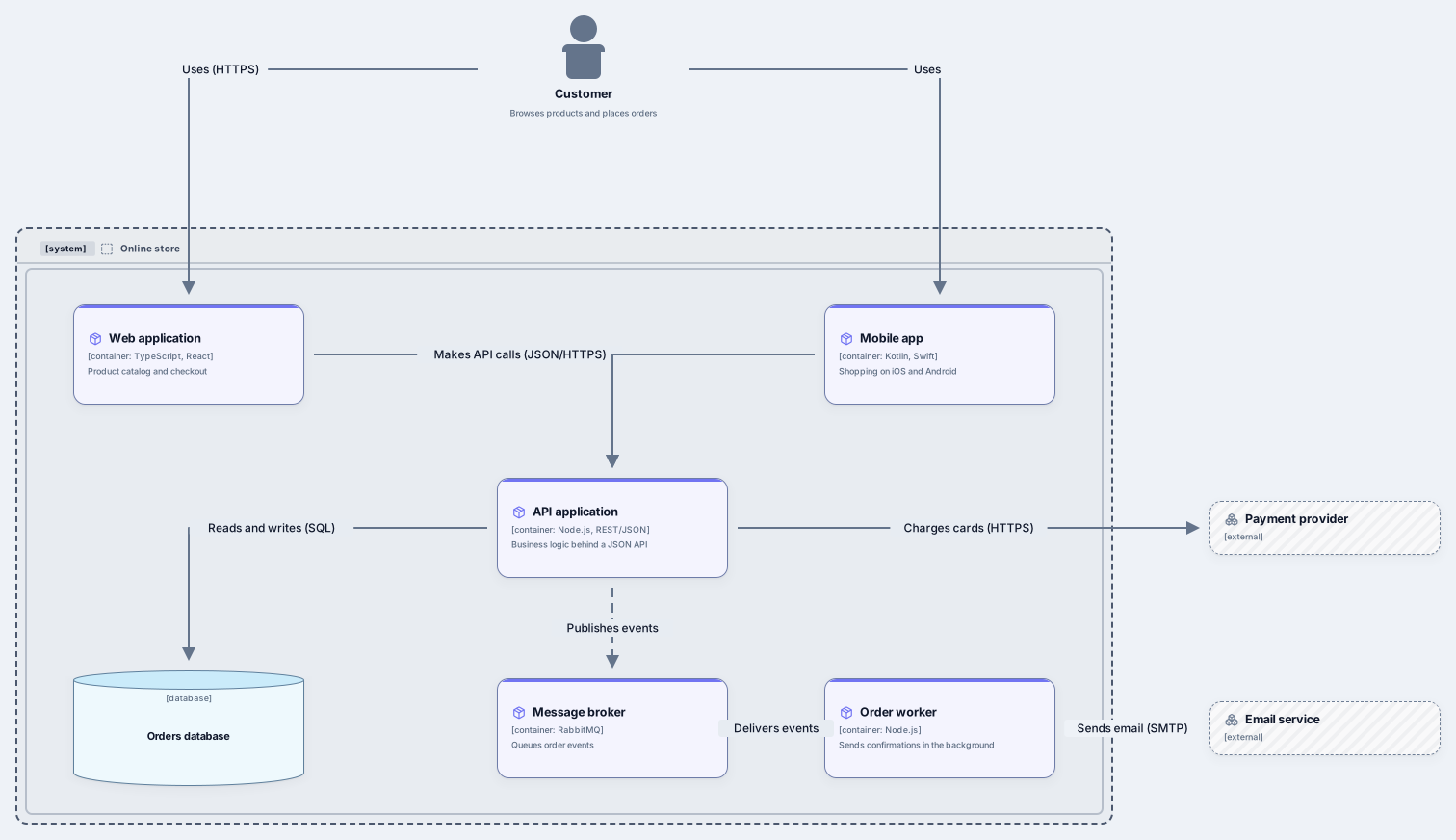
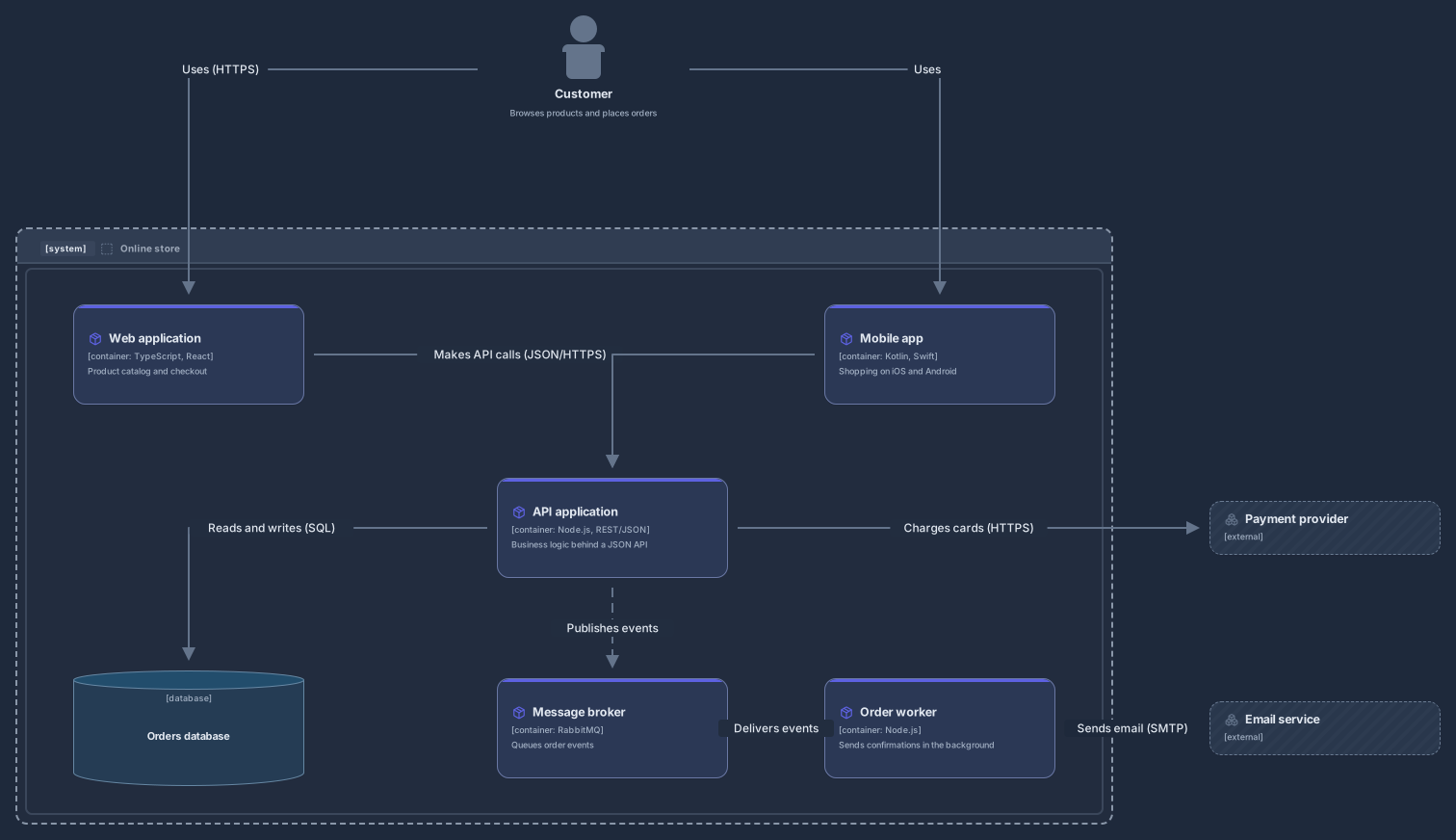
The C4 model describes software at four levels: context, containers, components and code. This template is level 2, the container diagram: a customer uses a web application and a mobile app, both call an API application, and the API reads and writes an orders database and publishes events to a message broker.
An order worker consumes those events and sends confirmations through an external email service, while the API charges cards through an external payment provider. Each container shows its technology and one sentence about its job, relationships say what happens and over which protocol, and the system boundary separates what you build from what you use.
Rename the system boundary and the containers, and write one sentence about what each container is responsible for.
Set the technology on each container and the protocol on each relationship, such as JSON over HTTPS or SQL.
Add the people and external systems your users and integrations depend on, and remove what you do not have.
Share a link with the team or export the diagram for the architecture document, and save a revision when the containers change.
A container is something that runs code or stores data on its own: a web application, a mobile app, an API, a database, a message broker or a background worker. It is not the same as a Docker container, although a C4 container is often deployed as one.
Yes. The C4 pack has people, software systems, containers, components, databases, system and container boundaries and deployment nodes, so you can draw context, container, component and deployment diagrams on the same canvas.
Not from Structurizr DSL or Mermaid C4 syntax. Start from this template, or connect your AI agent to Archboard over MCP and describe the containers; the agent draws them on your canvas and you edit the result.
Control plane, worker nodes, kubelet, kube-proxy, pods and Ingress
14 nodes
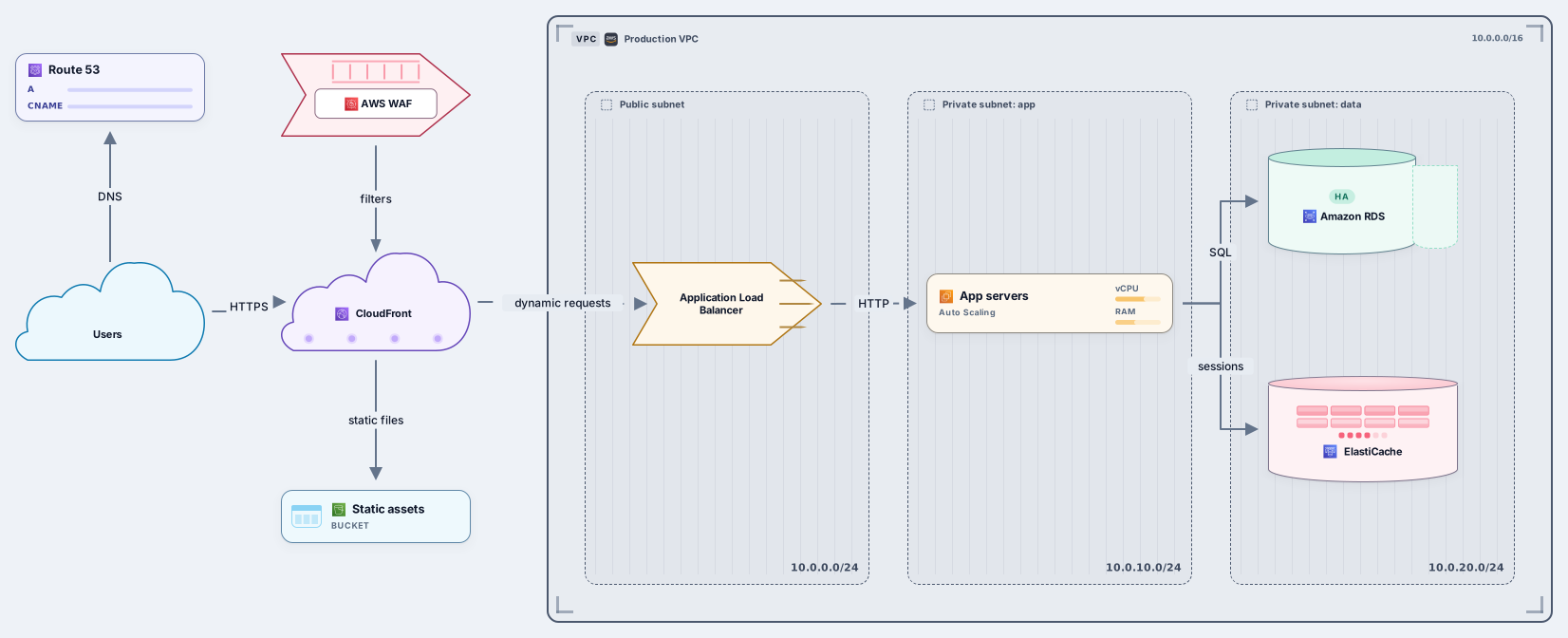
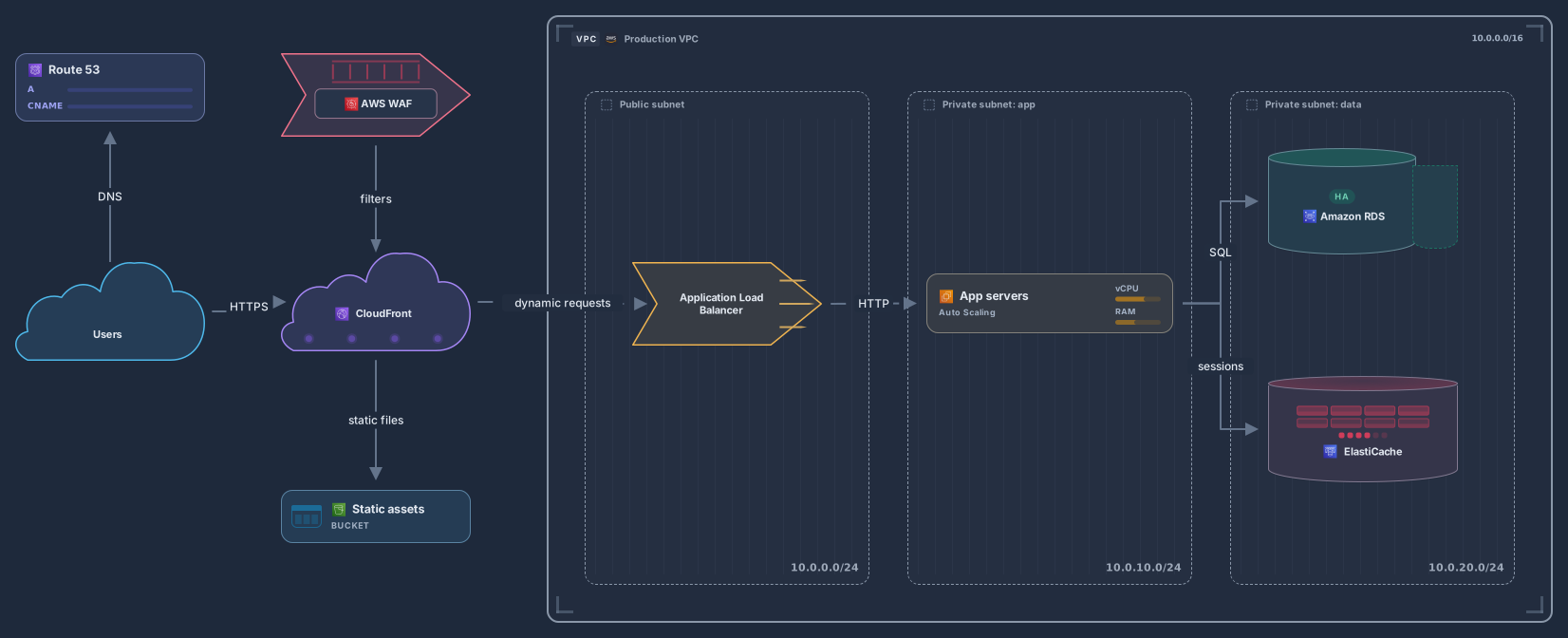
VPC with ALB, EC2 Auto Scaling, RDS, CloudFront and S3
13 nodes
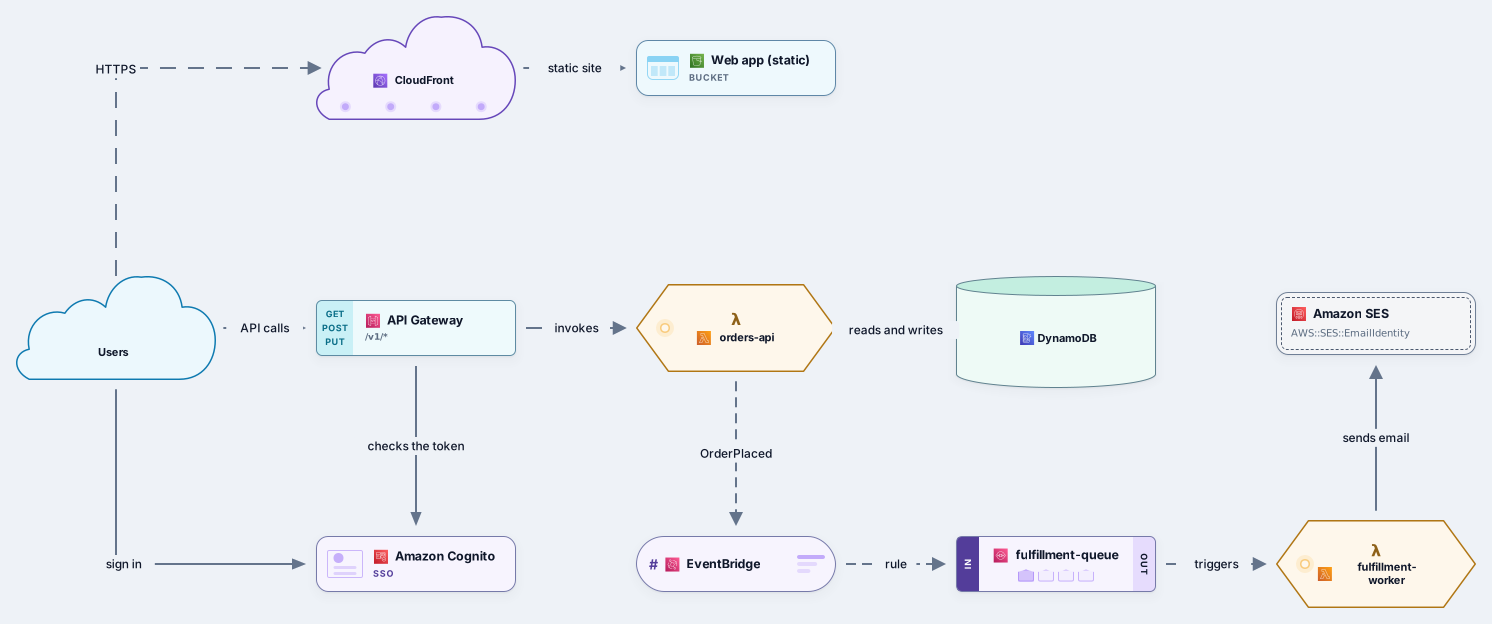
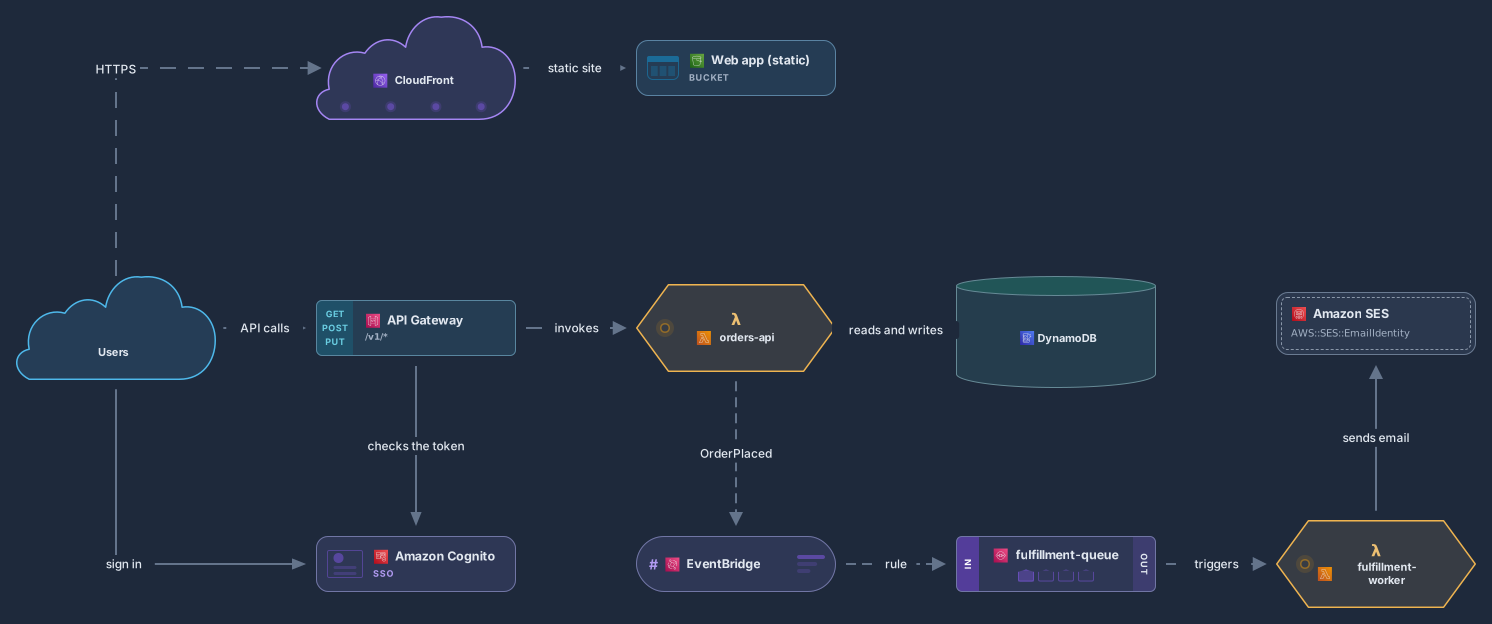
API Gateway, Lambda, DynamoDB, EventBridge, SQS and Cognito
11 nodes
Related use case
C4 architecture diagramsSign in with Google or GitHub. Free for a single seat. Upgrade when the team joins.